Cognos Analytics 12 introduces AI, more flexible data models, and powerful reporting features. Find out which new features are truly relevant.
With Cognos Analytics 12, IBM has taken a significant step toward AI-powered data analysis. The focus was on enhanced features of the Cognos Analytics Assistant, AI-based self-service analytics, and a modernized user interface.
But that wasn't the end of it. With subsequent releases—particularly version 12.1.2—it has become clear that IBM is consistently pursuing this path. Cognos is increasingly evolving from a traditional BI platform into an intelligent analytics solution that not only provides data but also actively supports decision-making. And all of this within a single interface.
For businesses, this raises not only the question of which new features are available, but above all, what benefits they offer in terms of analytical processes, manageability, and operations. As an IBM Platinum Partner, ISR is already testing the new version in advance and determining which new features are relevant to businesses from both a technical and operational perspective.
By the way, if you’d like to learn more about “End of Support for IBM Cognos Analytics 11.2.4 & 12.0.4,” check out our blog post on the topic: “In the Picture or in the Dark—End of Support for IBM Cognos Analytics 11.2.4 & 12.0.4.”
The following content awaits you in this article:
1. What's new in Cognos Analytics 12?
2. Faster and more flexible dashboards
3. How I Can Help: The Cognos Analytics Assistant
What's new in Cognos Analytics 12?
Version 12 is fundamentally based on three key enhancements: the integration of artificial intelligence, enhanced support for self-service analytics, and a modernized user experience.
Thanks to the use of AI and machine learning, Cognos is now able to not only display data but also actively analyze it and derive actionable recommendations. Users benefit from the following, among other things:
- automatic visualization suggestions
- smart data analysis
- Assistance with interpreting results
The redesigned user interface also helps users find their way around more quickly and work more efficiently. Navigation, dashboard creation, and data access have been significantly simplified and better tailored to the needs of the business units.
Faster and more flexible dashboards
IBM Cognos Analytics 12 places a clear emphasis on the performance and responsiveness of dashboards. At the same time, it becomes clear that dashboards are no longer just static reports, but interactive tools for managing day-to-day operations.
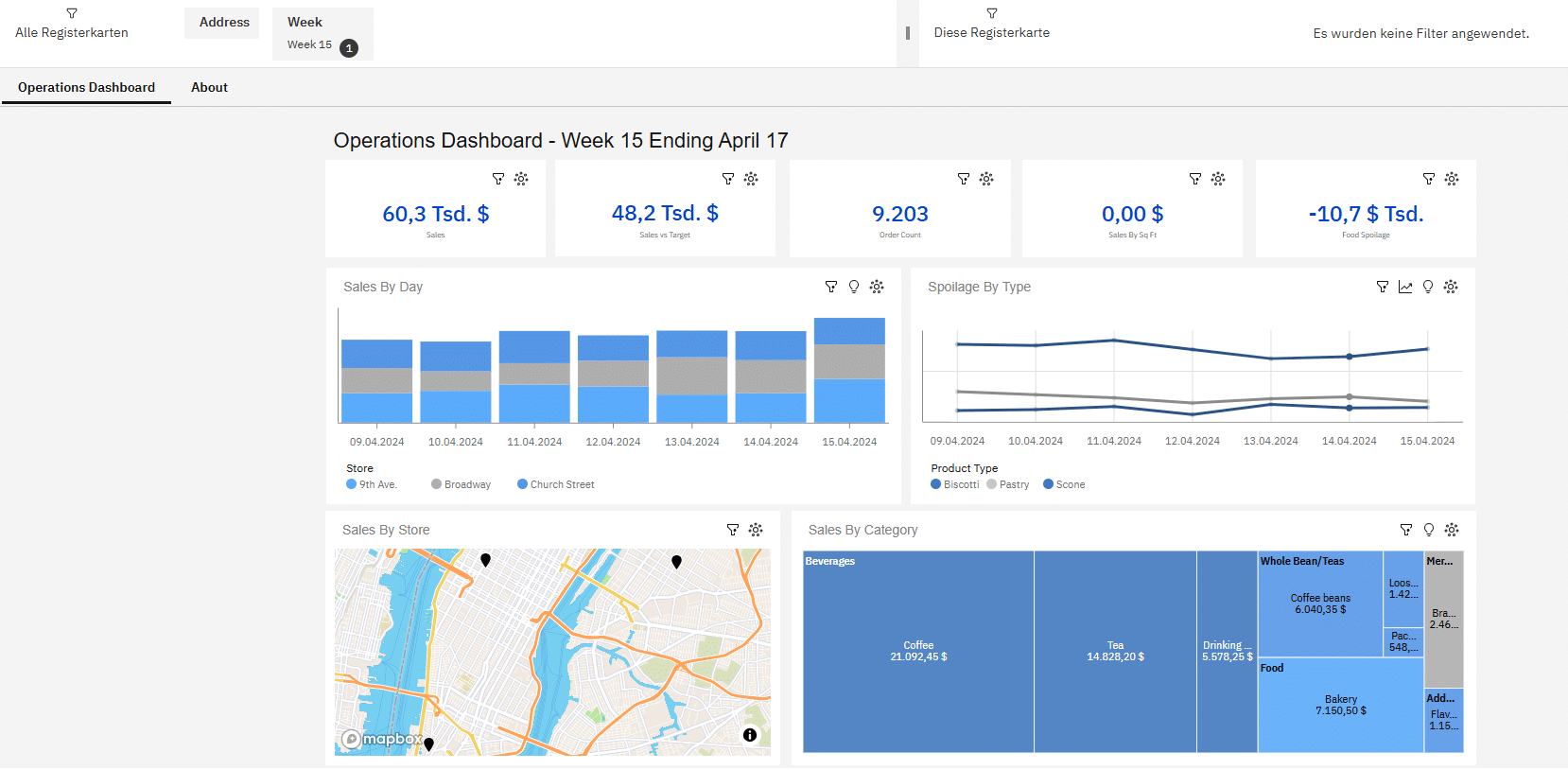
Such dashboards utilize numerous widgets and data sources simultaneously—making reliable and high-performance processing all the more critical. The use of modern caching technologies plays a central role in this. Frequently accessed data is cached, eliminating the need for repeated database queries and allowing content to load significantly faster.
In practice, this results in tangible benefits:
- significantly reduced loading times
- consistent performance even with a high number of users
- less strain on the underlying database
With version 12.1.2, IBM is further expanding these strengths in a targeted manner. Additional capabilities are emerging, particularly in the areas of dashboard design and data modeling.
For example, up to 200 widget connections can now be used within a single dashboard, which opens up new possibilities, especially for complex analytical scenarios. The more flexible arrangement of filters also helps to better tailor dashboards to individual requirements.
At the same time, the stability of the data models has been improved. Reducing double counting ensures more consistent metrics and increases the reliability of analyses—a crucial factor, especially when dealing with complex data structures.
All in all, it is clear that these enhancements are aimed not only at creating faster dashboards, but also at building a more powerful and reliable analytics environment overall.
How can I help: The Cognos Analytics Assistant
As dashboards become more powerful and flexible, the way users work with data is also changing. Another new feature is the guided user interface, which helps users in IBM Cognos Analytics Version 12 create dashboards quickly and easily. This intuitive interface allows users to easily select data sources, add visualizations, and customize their dashboards without requiring extensive technical knowledge.
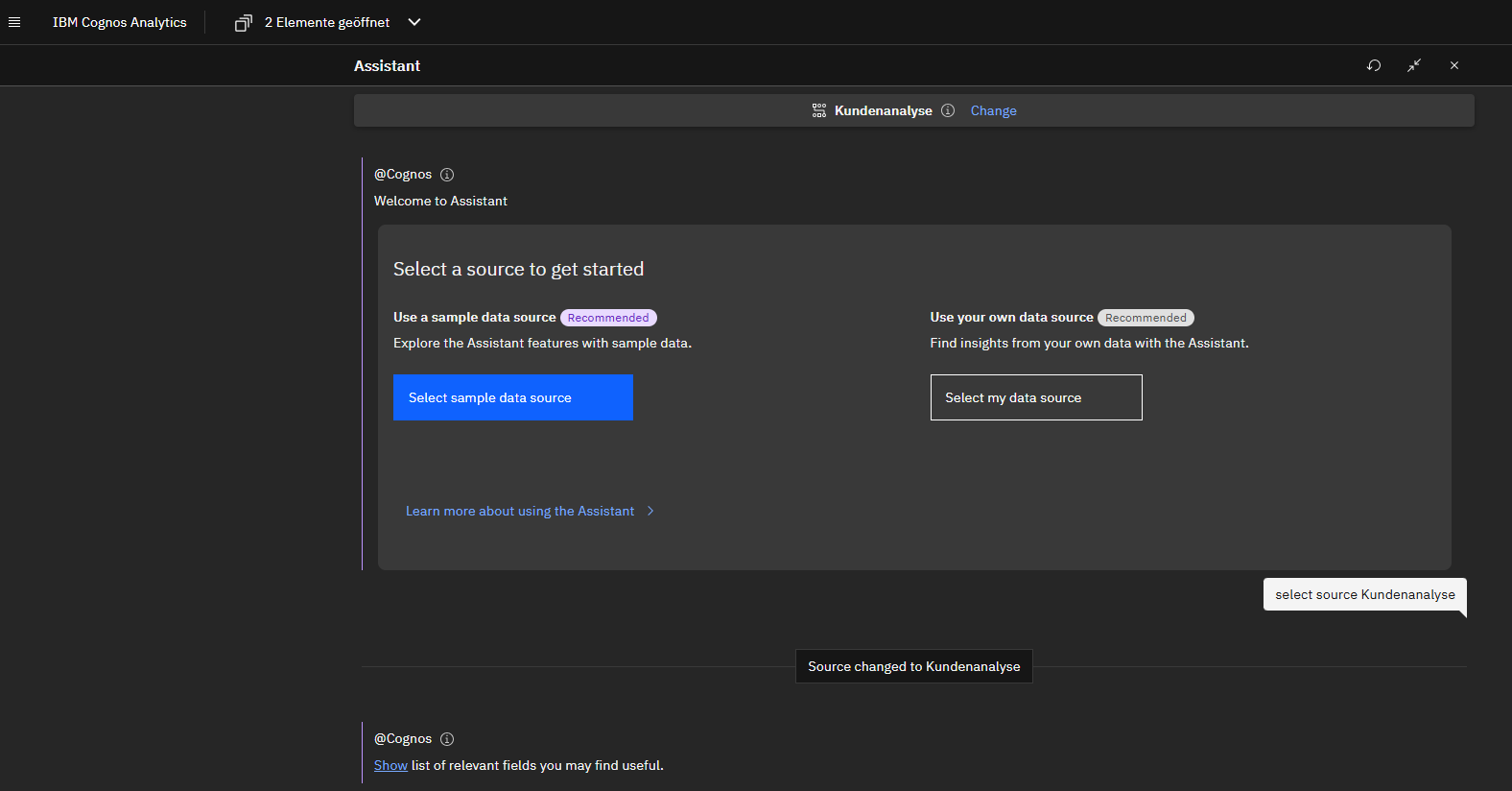
Pre-built templates and wizards are available for this purpose. Instead of starting from scratch, users can select a template that best meets their needs and then simply add data sources. The templates already contain preconfigured visualizations that can be applied to the selected data. In addition, watsonx platform capabilities are increasingly being integrated into IBM Cognos Analytics, continuously expanding the possibilities of AI-powered analysis.
Users can change the position and size of visualizations, customize colors, add filters, and configure drill-down options. These customization options save time and effort during setup and help users design their dashboards exactly to their needs and highlight the relevant information.
Data analysis meets AI
One particularly tangible benefit of IBM Cognos Analytics 12 is evident in the way analyses are conducted. Users can formulate questions in natural language, such as regarding revenue trends or specific product segments. The platform automatically processes these queries, combines different data sources as needed, and generates relevant, visually appealing dashboards as well as actionable results.
The built-in AI-powered features go beyond simple visualization: Cognos independently analyzes the underlying data and identifies patterns, trends, and correlations. Based on this analysis, the system automatically suggests appropriate charts and visualizations, significantly reducing the manual effort required to create reports and dashboards.
- Show me the sales figures for the "Service" division for the last six months, filtered for the XYZ product range.
Cognos then automatically generates a corresponding analysis and visualizes the results, for example, in the form of a dashboard. For further analysis, users can explore the results in more detail interactively, for example, using exploration functions.
This development has been further expanded in Cognos Analytics 12.1.2: AI is increasingly taking on support tasks in the background, enabling powerful self-service analytics. Even without in-depth knowledge of data modeling or statistics, users can perform complex analyses and gain meaningful insights.
Pre-built templates, wizards, and flexible customization options further streamline the analysis process. Overall, this saves users valuable time, which they can then dedicate to interpreting the results and developing well-founded recommendations.
Less effort, more control
Cognos Analytics 12.1.2 also introduces relevant new features for administrators. The simplified SMTP configuration makes it possible to distribute administrative tasks more effectively and structure responsibilities more clearly. In addition, the interfaces for Capabilities and Content have been redesigned, improving clarity and simplifying administration. This can significantly reduce the administrative burden, particularly in larger environments with many users and a large volume of content.
Special attention is also given to integration with IBM SPSS Modeler. Thanks to the real-time connection, predictive analytics approaches can be integrated directly into the existing BI landscape.
This gives companies the opportunity to enhance traditional reports with predictive analytics and take data-driven decision-making to a new level.
What's changing in administration and operations
What's new for administrators? While version 12.1.2 (March 2026) of IBM Cognos Analytics doesn't feature a radical redesign, it does offer some very practical improvements for operations and administration. It's definitely worth taking a closer look, especially for administrators focused on stability, governance, and maintainability.
- Data Modules Now Available for the Event Agent: One of the most significant administrative changes concerns the Event Agent (formerly Event Studio): Starting with Cognos Analytics 12.1.2, Data Modules can be used as a data source for agents for the first time. This eliminates the need to use traditional Framework Manager packages in many scenarios. For administration, this means: fewer model duplicates, a more consistent architecture, and reduced maintenance effort in hybrid environments
- Greater Governance Despite New AI Features: With version 12.1.2, AI-powered reporting support is introduced to Cognos for the first time. Important from an administrative perspective: These new reporting agents operate entirely within the existing security and authorization structures. Users see only the content they are authorized to view—without requiring additional configuration work in administration. This ensures that the familiar governance model remains intact even with expanded functionality.
- Improvements to installation and configuration: In this release, IBM has also made minor but significant improvements to installation and configuration. These improvements primarily focus on stability, standards, and simplifying typical administrative tasks in on-premises and cloud environments.
The update thus not only offers functional improvements but also provides important insights for the further development of your own analytics strategy.
IBM provides further details in the official documentation: IBM Cognos Analytics Release 12.1.
Successfully master the transition with ISR!
Drawing on our experience in the enterprise environment, we help companies further develop IBM Cognos Analytics in a way that ensures stability, high performance, and future-proofing. This is not just about introducing new features. What matters most is configuring the analytics platform so that it operates reliably in day-to-day use, effectively supports business units, and is easy to manage.
ISR supports companies not only with updates and further developments but also during day-to-day operations. This includes, among other things, the structured integration of new features, the assessment of technical and organizational impacts, and ensuring stable operations.
Upon request, we can also handle ongoing support and operational tasks, for example as part of a service agreement or coordinated Managed ServicesWhat are Managed Services? Managed Services can be defined as IT services… More. This allows us to relieve internal teams of time-consuming routine tasks such as administration, maintenance, oversight, and application monitoring. As a result, problems can be identified early on and resolved in a targeted manner.
This gives companies greater control over their analytics landscape and allows them to focus more on their business priorities, while we ensure stable operations.
If you would like to assess the impact of the new features in Cognos Analytics 12.1.2 on your analytics, governance, and operations landscape, we would be happy to assist you with conducting an assessment, determining the appropriate course of action, and planning the next steps for implementation.

Tim Kunert
Head of Application Management BI
Application Management
tim.kunert@isr.de
+49(0)151 422 05 490