With SAP Datasphere, SAP consistently advances its data platform towards a cloud-centric future. For many BW users, the question arises: How do I map familiar BW concepts, such as Customer Exit variables, in this new environment? The answer: Derived Variables in SAP Datasphere. But is this answer valid?
In this article, we examine the new so-called derived variables (Derived Variables) by demonstrating a typical Customer Exit use case in SAP Datasphere and attempt to validate this answer in practice.
In SAP BW, Customer Exit variables (type “Customer Exit”) enable the dynamic determination of variable values at runtime.For example, the first day of the current month, the current user, or a complex hierarchy level. The logic is implemented in ABAP via the user exit include ZXRSRU01 (or BADI_RSR_VARIABLES_EXIT) and offers significant flexibility.
Typical Use Cases:
Automatic Selection of Time Periods
Data Restriction Based on User Role
Logic-Driven Filter Values in Queries
Derived Variables in SAP Datasphere – What are they?
With derived variables, SAP Datasphere offers a comparable concept. These are defined within an Analytical Model. Unlike in BW, the logic is not implemented in ABAP, but rather in the graphical interface or using SQL Script.
A derived variable is a variable whose value is not directly entered by the user but is automatically determined by the system via a lookup entity. This lookup entity can be, for example, a table or a view where the relevant information is stored.
The derivation works by automatically finding and setting an associated value (e.g., the corresponding currency) based on a known input value (e.g., a country). This derived value is not displayed in the input dialog because the user does not directly see or modify it. It is determined by the system in the background.
Derived Variables: A Use Case Example:
Derived variables are ideal for use cases where standardized filter values are dynamically required, such as:
Automatic Filtering for the Current Day/Week/Month
Filtering Based on the Logged-in User for Data Restriction
Dynamic Calculation of Time Periods Without User Input
In the following example, we will demonstrate a use case by dynamically defining date fields of a fact source using self-defined time intervals. The intervals should be determined not by manual entry of date values, but by simply selecting an interval definition.
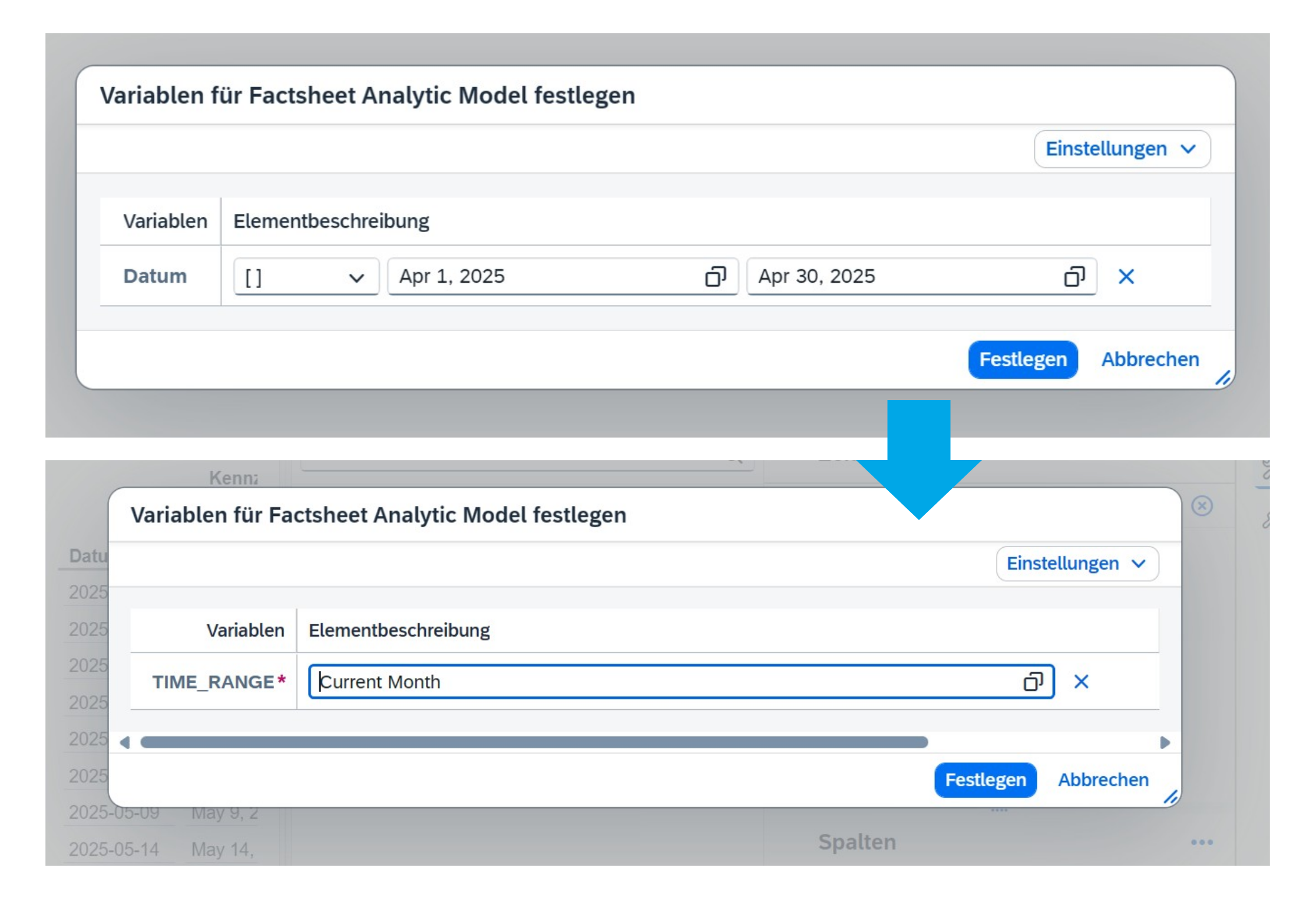
Fact View Variable Selection
Implementation Steps:
For the input variables to have a dynamic derivation from a lookup entity instead of manual entry, three views with the semantic usage “Dimension” are required:
1. Dimension:
Dimension Tag can be generated with minimal effort in the Space configuration.
2. Dimension: Time Intervals
The Time Intervals dimension is a view underpinned by SQL logic, which, in this use case, defines the selection list with dynamic date assignment. Independent of this demo scenario, this view is not necessarily limited to supporting data processing. It can define any input object.
3. Dimension: Lookup Entity.
This view is essential for association with the Analytic Model and must always return a single value after input parameters are provided.
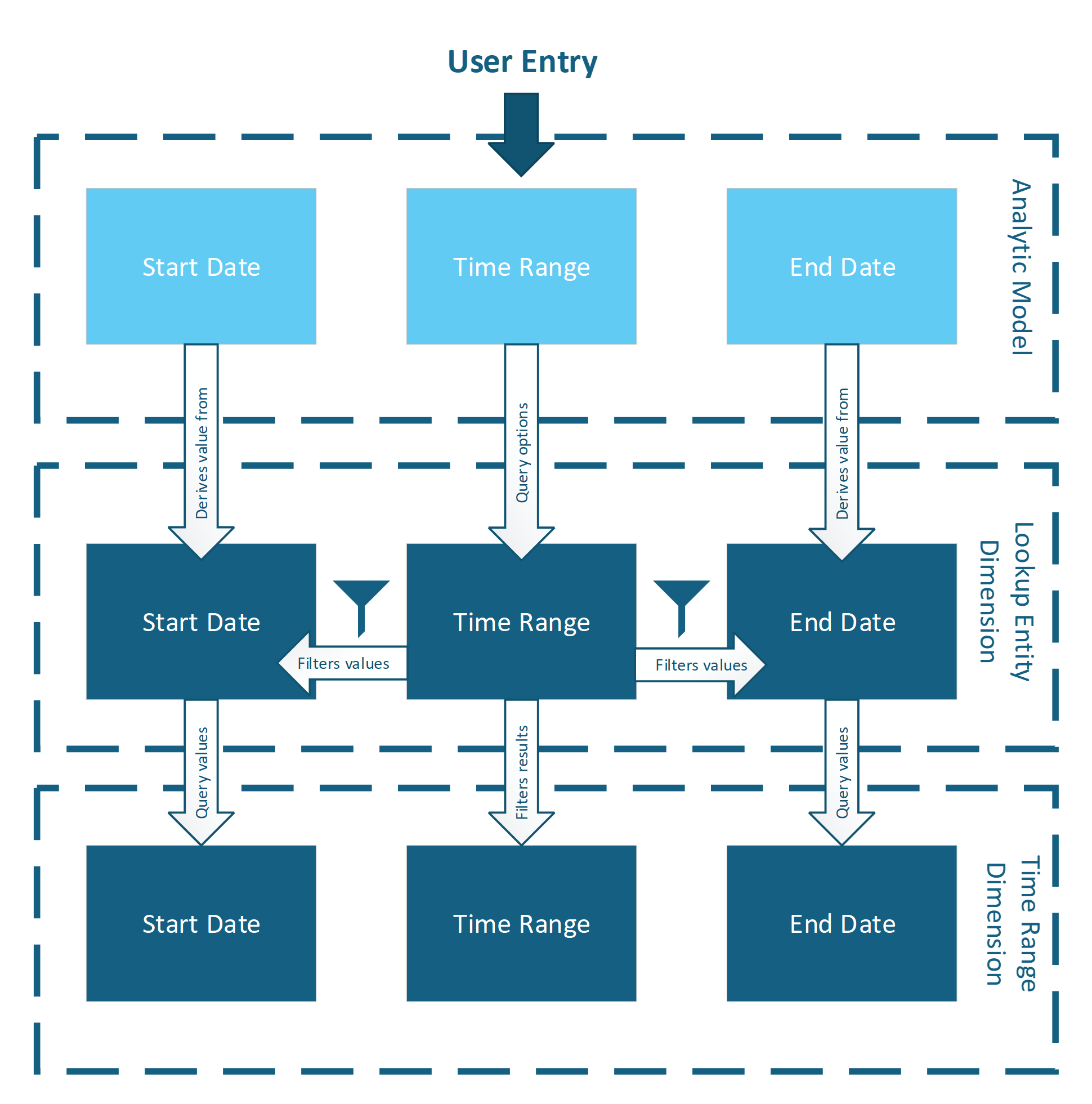
The following graphic illustrates the interplay of all three dimensions:
Fact View Variable Processing Flow
1. Dimension Time Intervals:
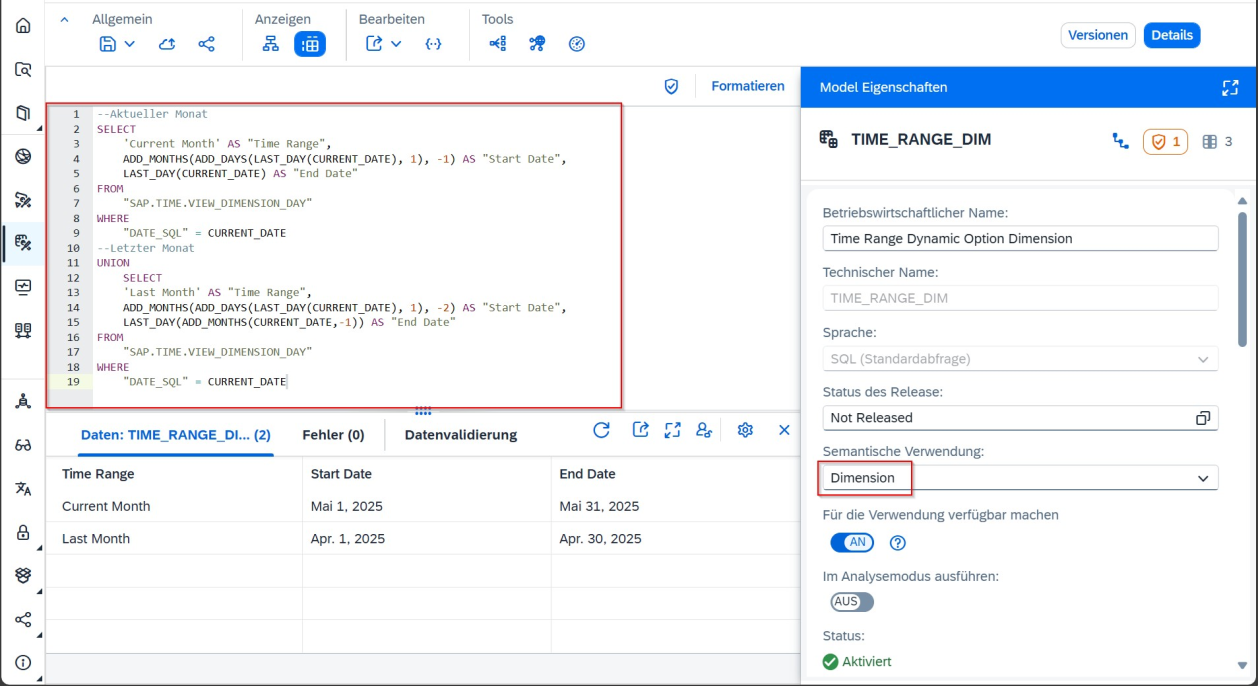
For our use case, we require two dynamic selection values: Current Month & Last Month. To implement these values via a view, we construct an SQL query that returns the following columns:
Assuming today's date is 22.05.2025, the return would be as follows:
Description
Start Date
End Date
Current Month
01.05.2025
01.04.2025
Last Month
31.05.2025
30.04.2025
The following SQL query is used for this purpose:
Dimension for Variable Logic
2. Dimension Lookup Entity:
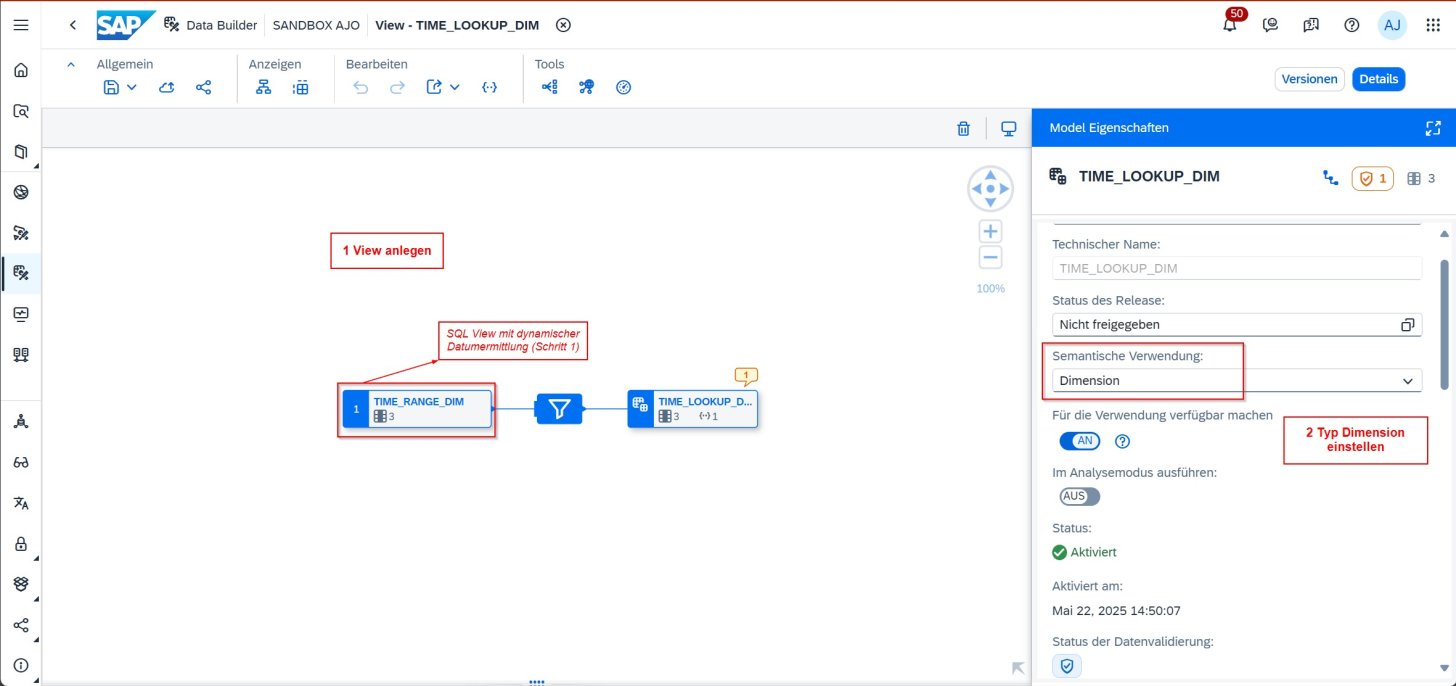
The Lookup Entity is the object that will later be associated with the Analytic Model to transmit values to its parameters. This view's function is to filter and output individual data entries based on dynamic variables.
The Lookup Entity is prepared for use through the following steps, where the following points must be observed:
This view requires a filter node to return single values
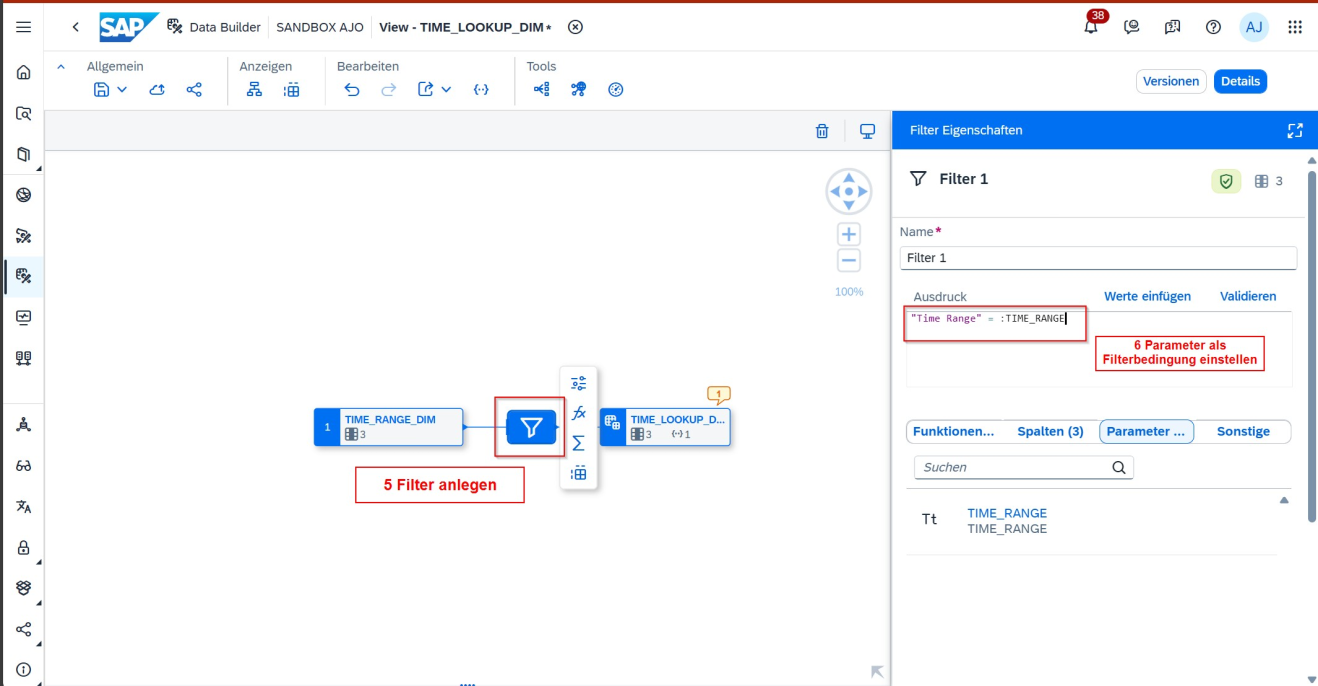
This filter is based on input variables that uniquely identify and return the start and end dates
The input variable derives the selection list through a logical association with the dimension in Step 1 (see screenshot).
Dimension Structure for Time Lookup
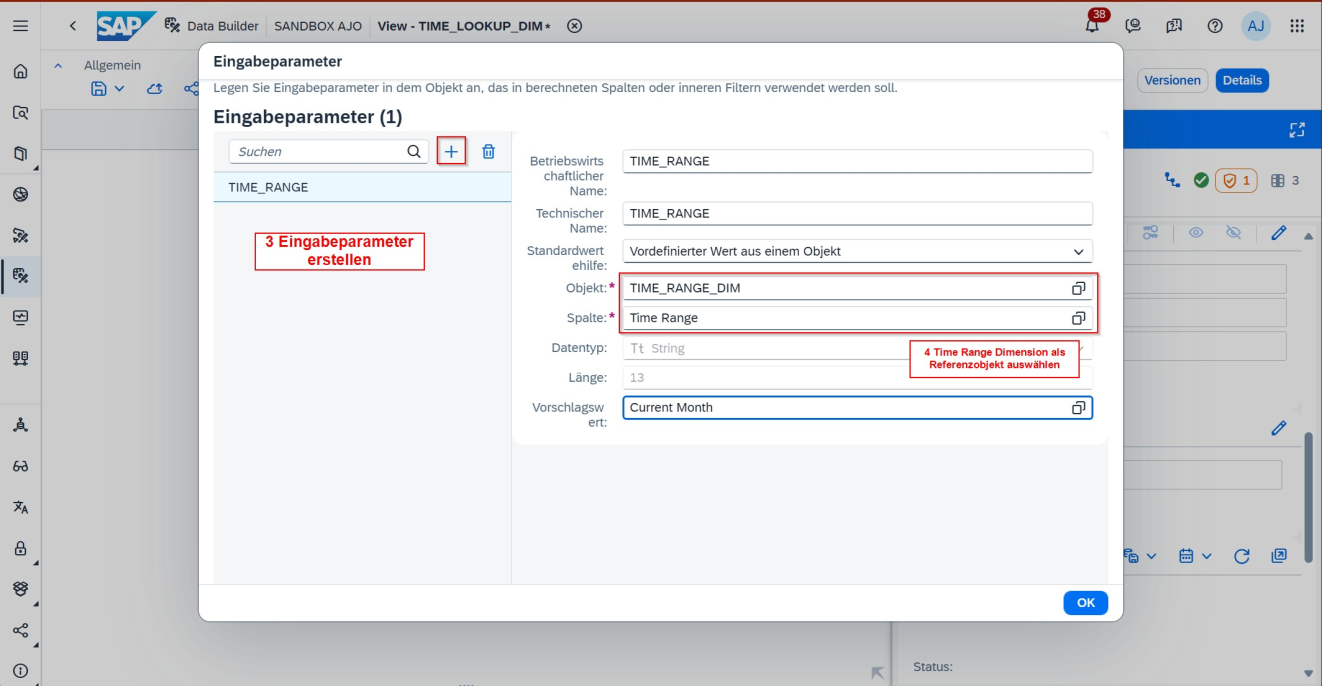
Creation of Input Parameter for Lookup Variable
Integration of Input Parameter into View
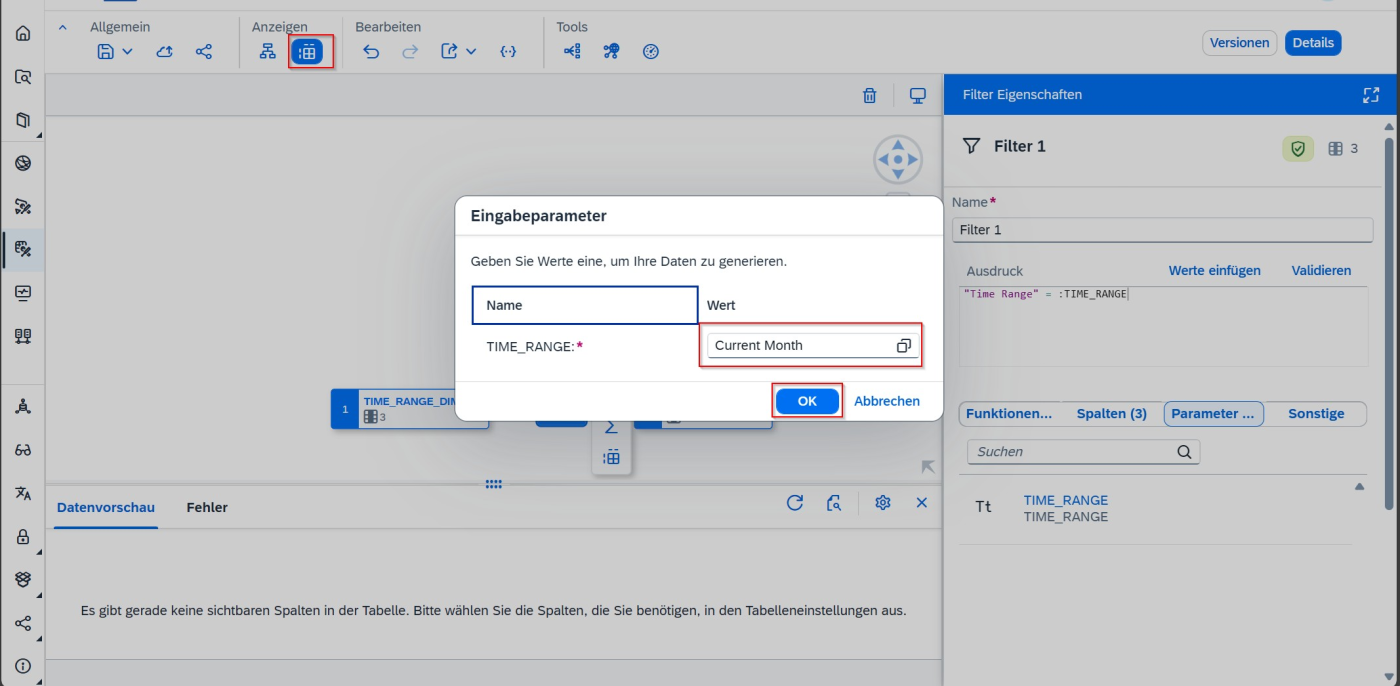
Test Input Parameter
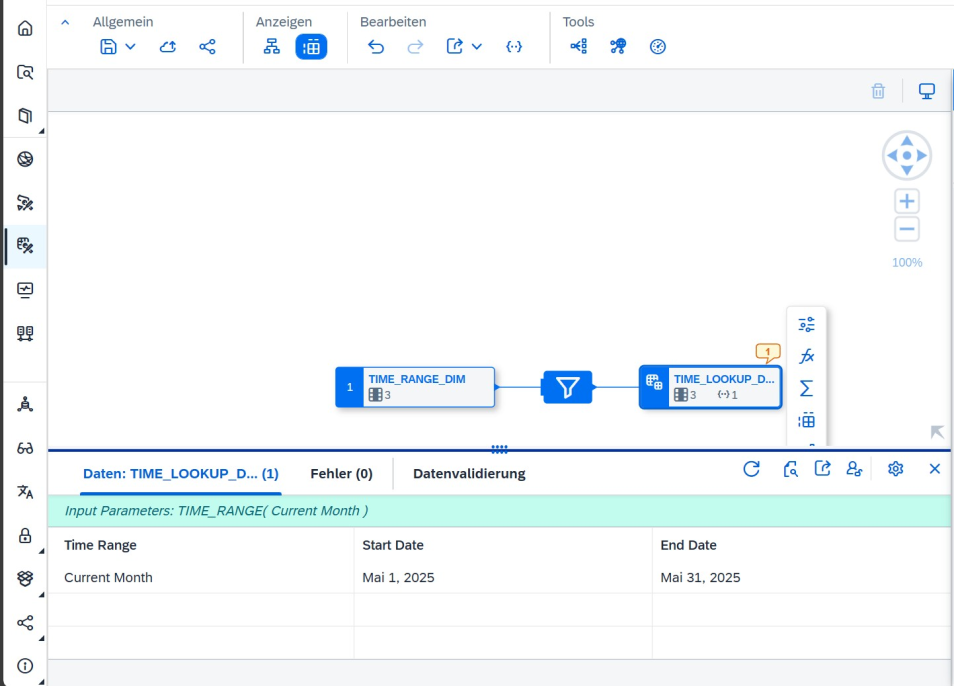
Test Output in View with Input Parameter
3. Fact Source and Analytic Model:
Now, the fact source, whose date values need to be filtered, also requires dynamic input variables. All created input variables will later be brought together like puzzle pieces:
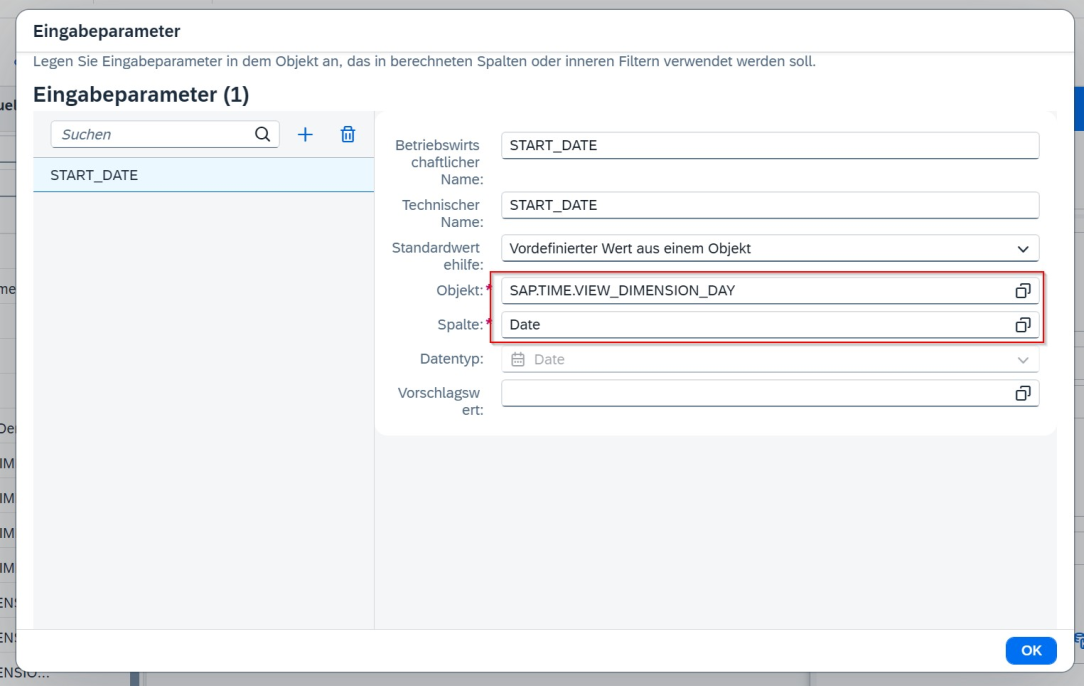
Input Parameter Editing Screen for From Date
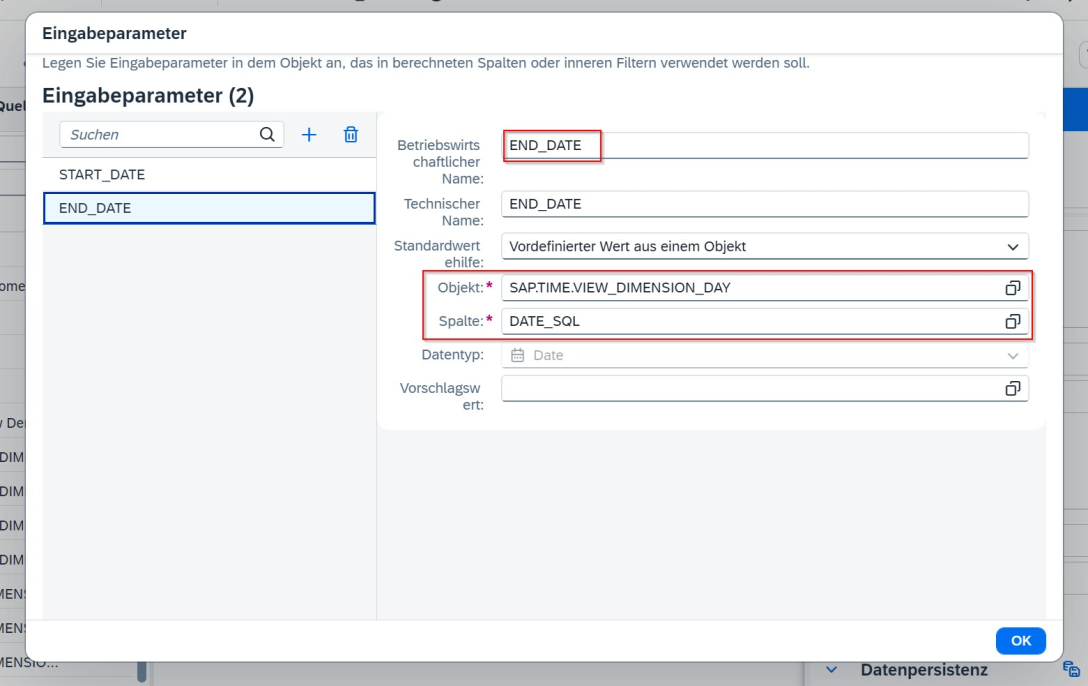
Input Parameter Editing Screen for To Date
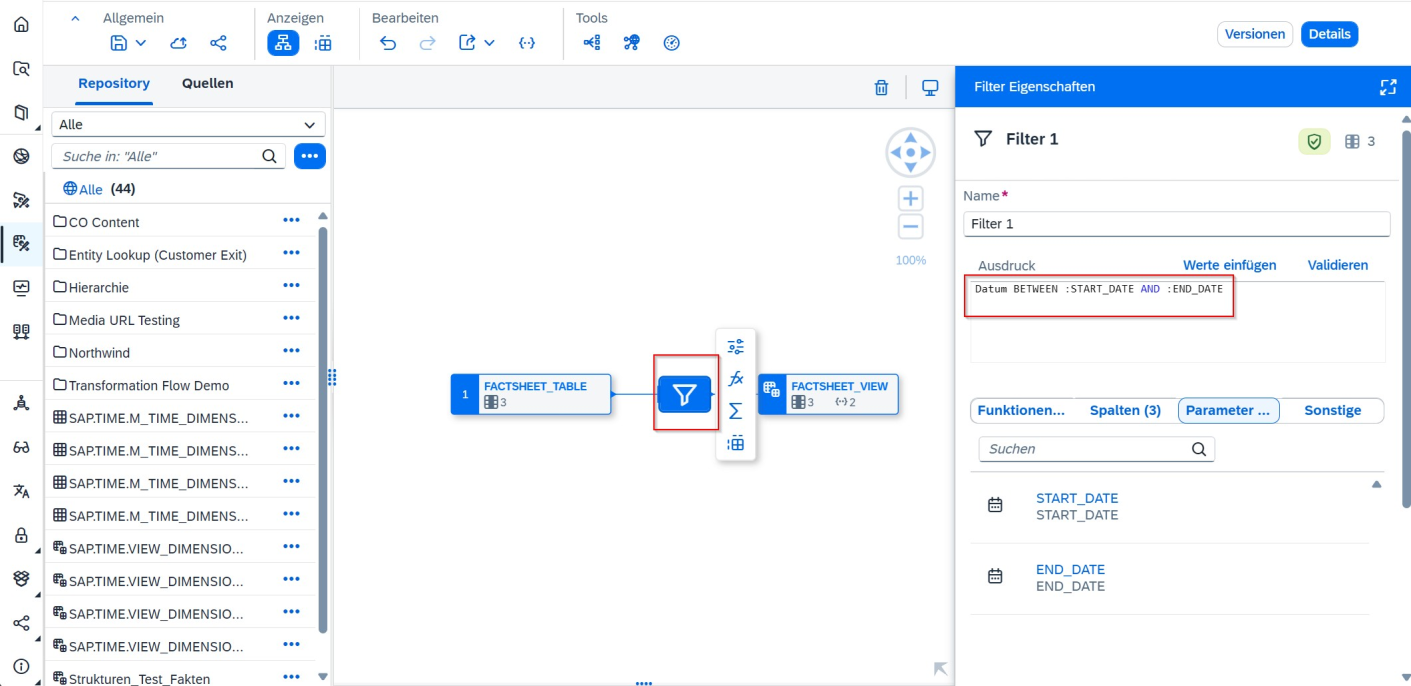
Integration of Range Filter with Input Parameter
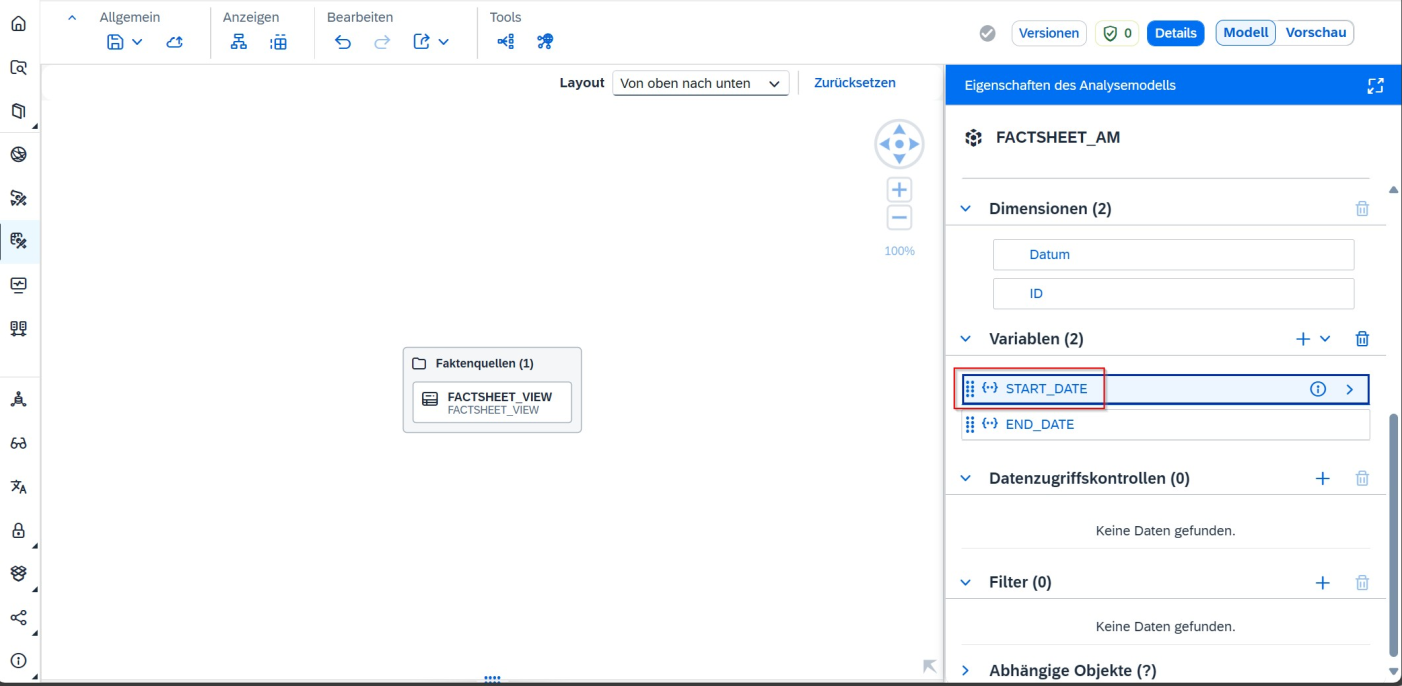
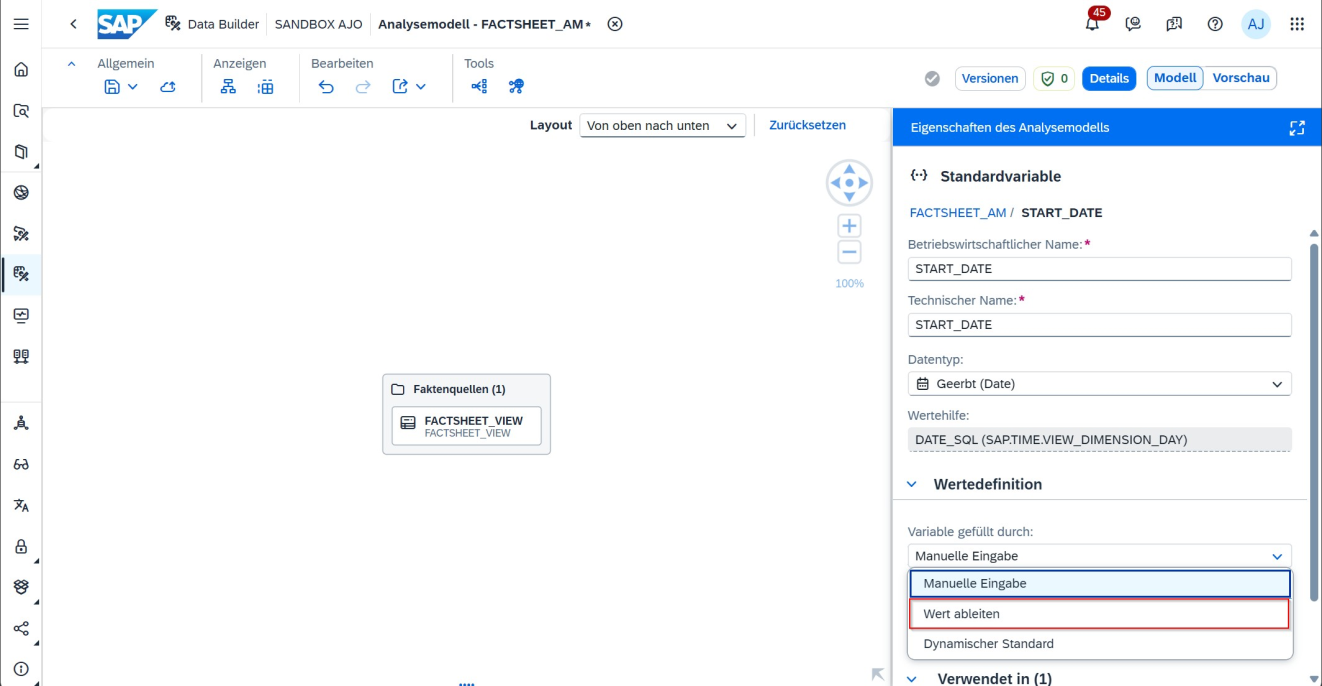
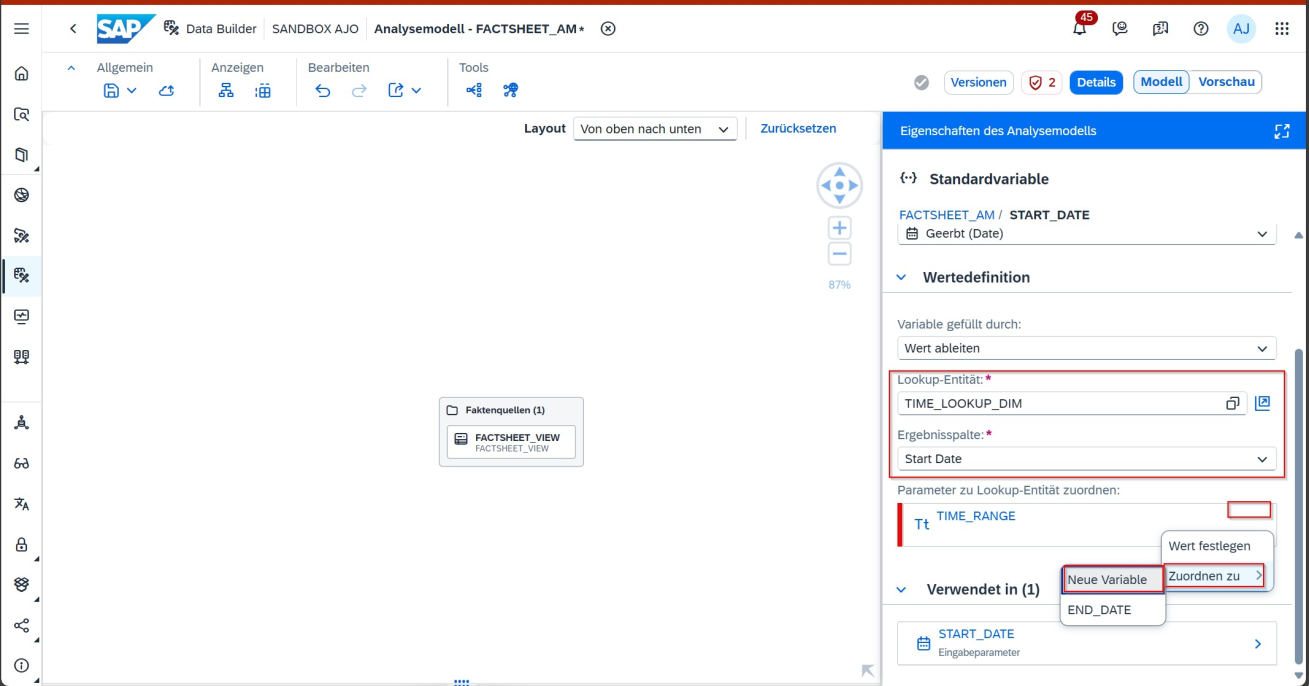
Finally, all objects and variables are interconnected. The input variables of the fact view must be configured to derive their values from the Lookup Entity.
Integration of Input Parameter into Analytic Model
Analytic Model: Conversion of Date Variable to Derived Values
Analytic Model Variable Mapping
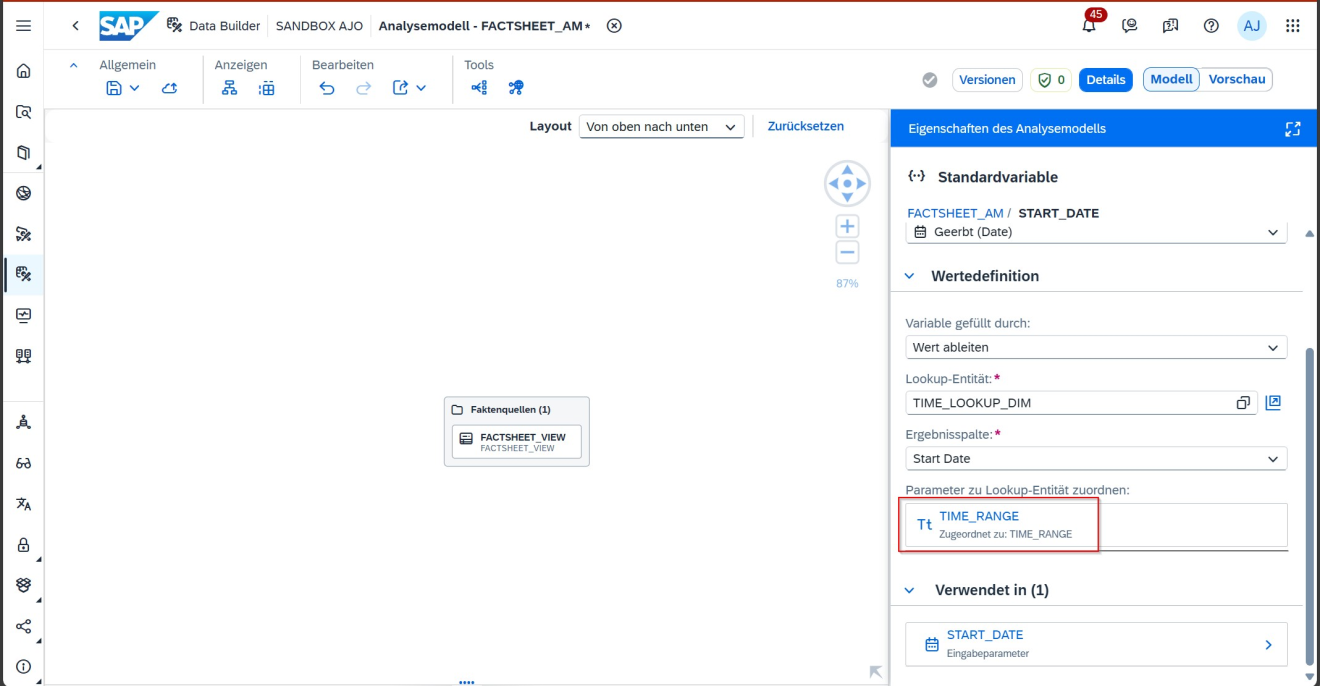
Analytic Model Variable Mapping - Result
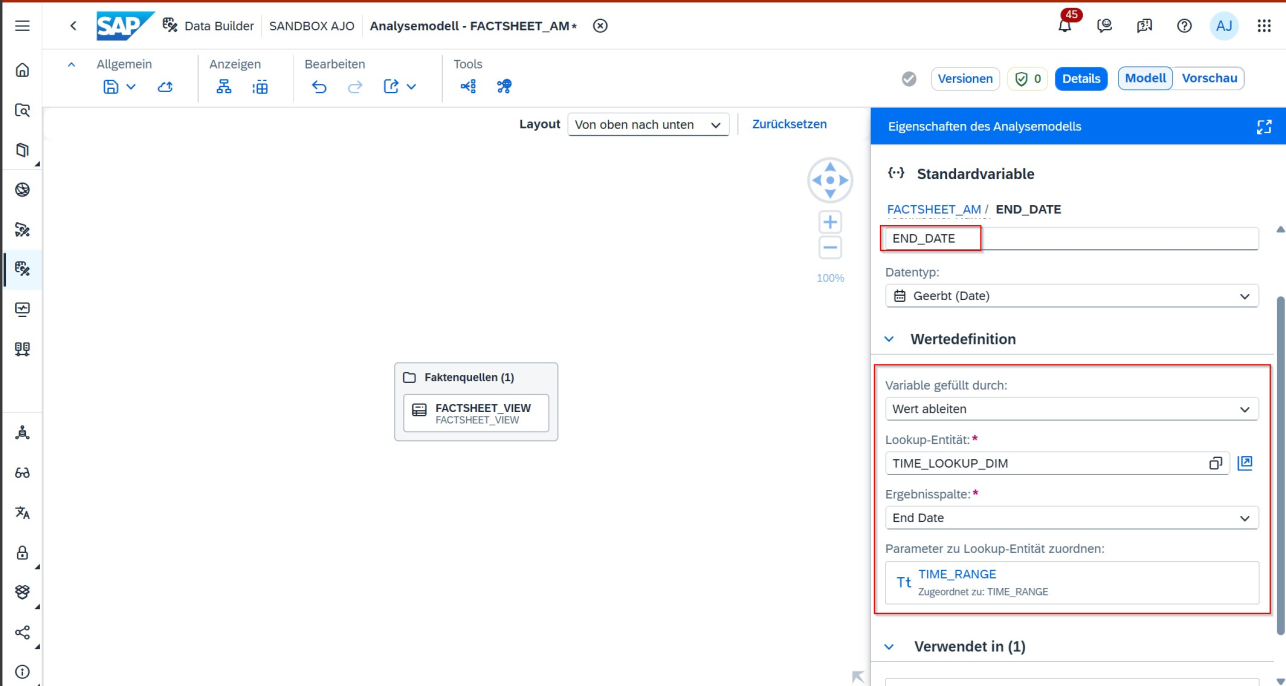
Analytic Model Variable for To Date
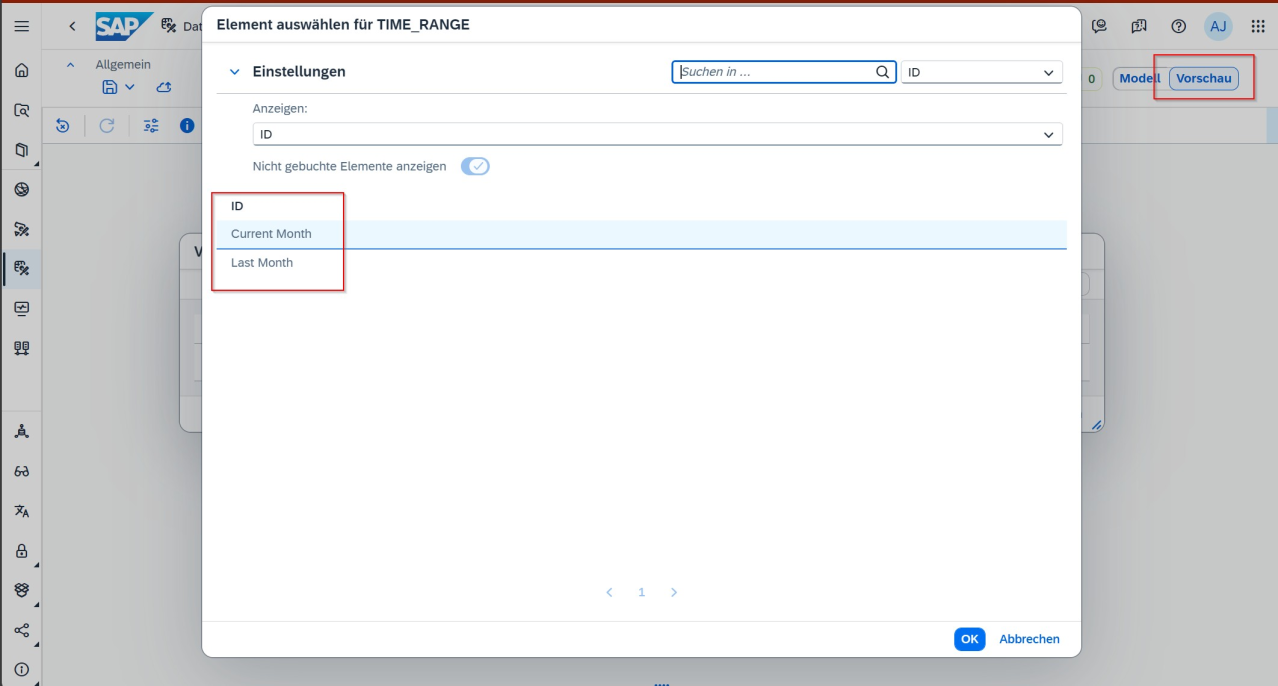
Analytic Model Invocation with Variable Selection
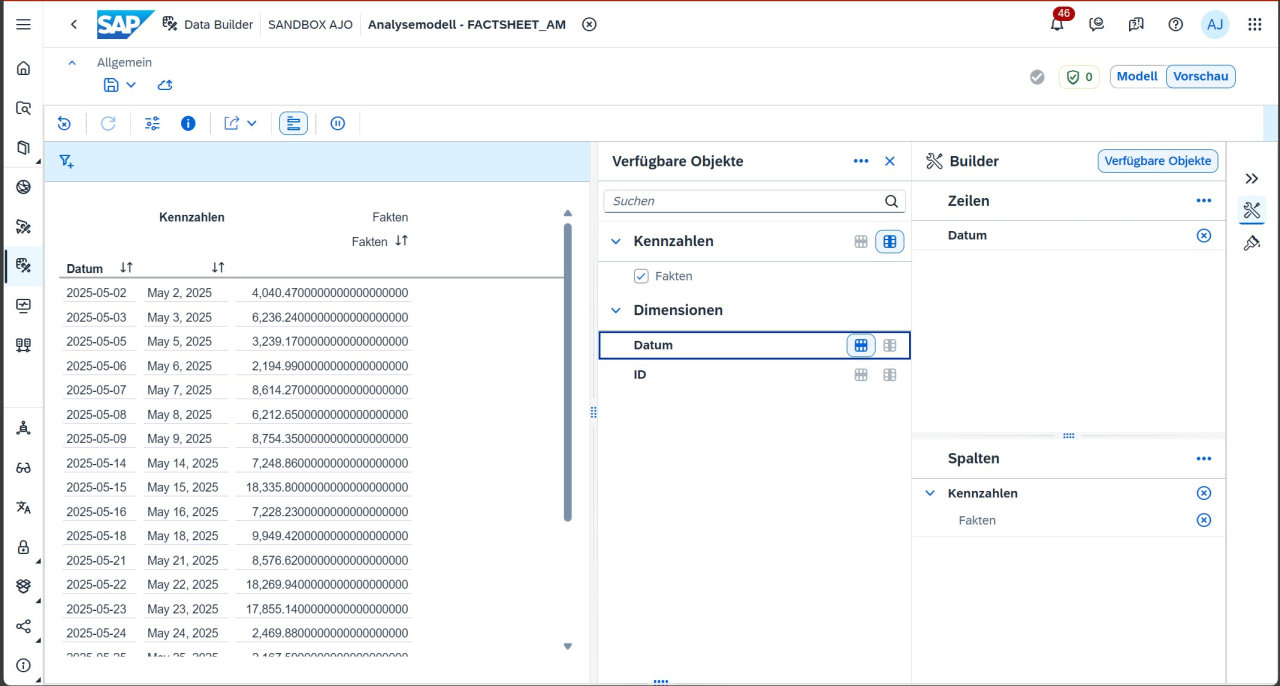
Result of Analytic Model Invocation
The preceding use case is a brief demonstration of what is possible with dynamic lookup variables in Datasphere. This scenario can be executed with any values (cost centers, organizational units, etc.).
Does this replace the functionalities of Customer Exit Variables?
Derived variables in SAP Datasphereshould not be interpreted as a “Customer Exit Datasphere Edition”. They do not fully replace the Customer Exit variables from SAP BW, but they do represent a portion of the functionality and can be utilized for many standard scenarios.
Here is a brief comparison:
Characteristic
SAP BW Customer Exit
SAP Datasphere Derived Variable
Technology
ABAP-based
Non-ABAP – graphical or expression-based
Flexibility
Very high (programmable)
Limited, but growing
Runtime
During query execution
During analytical model execution
Context dependency
Complete (users, roles, etc.)
Limited (username, date, potentially more)
Implementation
EXIT_SAPLRRS0 or BAdI
Within the Analytical Model, potentially centrally via Lookup Entities
Maintainability / Upgradeability
Maintenance-intensive, partly complex
More intuitive in the UI, cloud-centric
Conclusion
Derived Variables (“DerivedVariables”) offer a contemporary approach to implement typical use cases of BWExitVariables in the cloud environment. During a migration, it is therefore worthwhile to precisely analyze which tasks were previously solved via Customer Exits and how these requirements can now be mapped using the capabilities of SAP Datasphere. It becomes evident that some functionalities can be directly realized through Derived Values, while others require alternative solution approaches within the new data model.
Since 1993, we have been operating as IT consultants for Data Analytics and Document Logistics, focusing on data management and process automation. We provide comprehensive support, from strategic IT consulting to specific implementations and solutions, all the way to IT operations, within the framework of holistic Enterprise Information Management (EIM). ISR is part of the CENIT EIM Group.