Datasphere – Opportunity to expand SAP BW/4HANA

Share post via

Datasphere is SAP's latest data warehouse product. As a software-as-a-service solution, it is based on the new HANA Cloud Services. In the short or long term, Datasphere should be able to map a full-fledged enterprise data warehouse in addition to a self-service data preparation use case.

As a data warehouse solution, Datasphere must be able to integrate as many sources as possible. After explaining theconnection to BW/4HANAin our last post, we would like to use this blog entry to show how a hybrid data model based on BW/4HANA and Datasphere can be set up. We will be using a very simple data model for this. The primary aim of our post is to give an impression of the look and feel.

SAP is investing heavily in the integration of both solutions. The soon-to-be-available "Model Transfer Connection" will also enable the transfer of BW semantics from queries. This will allow semantics defined in SAP BW to be reused. We will closely monitor the new developments and provide regular updates here. The following recorded SAP WebSession provides initial insights.

Our scenario

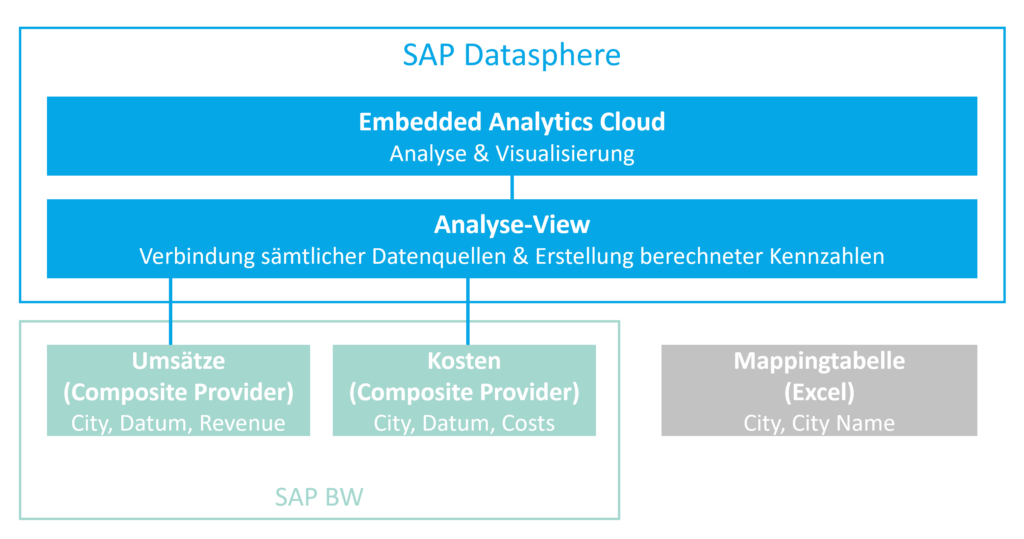
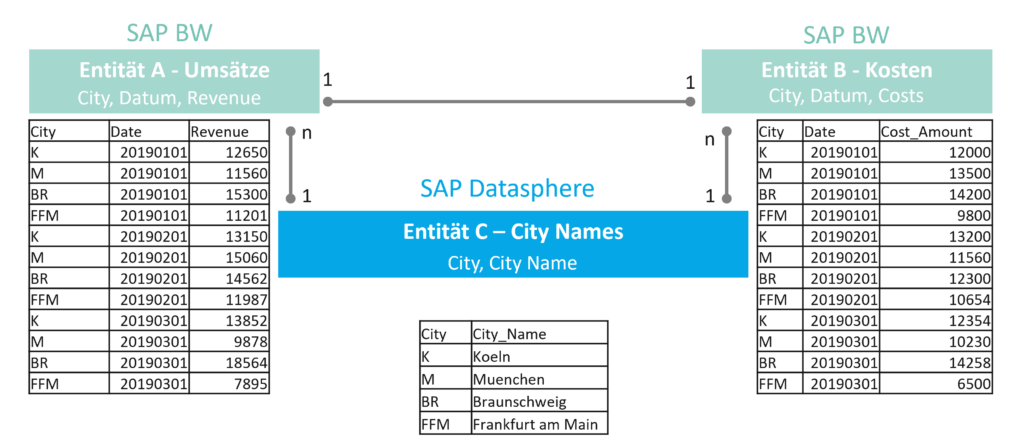
In our very simple scenario, we have two tables with transaction data containing sales and costs per retail area, in this case simply city.
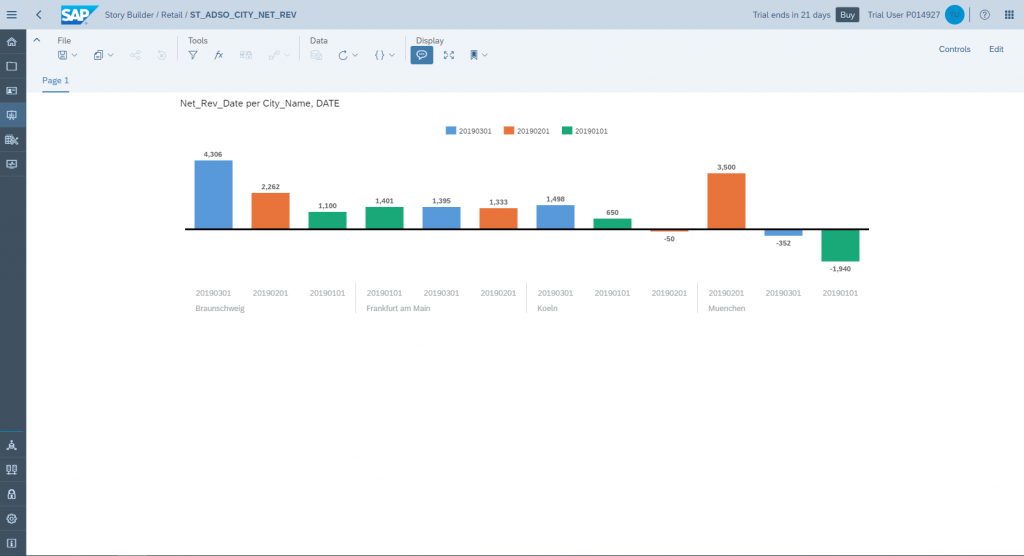
The retail team would like to have a clear overview of how much profit is generated per time period in a specific city.

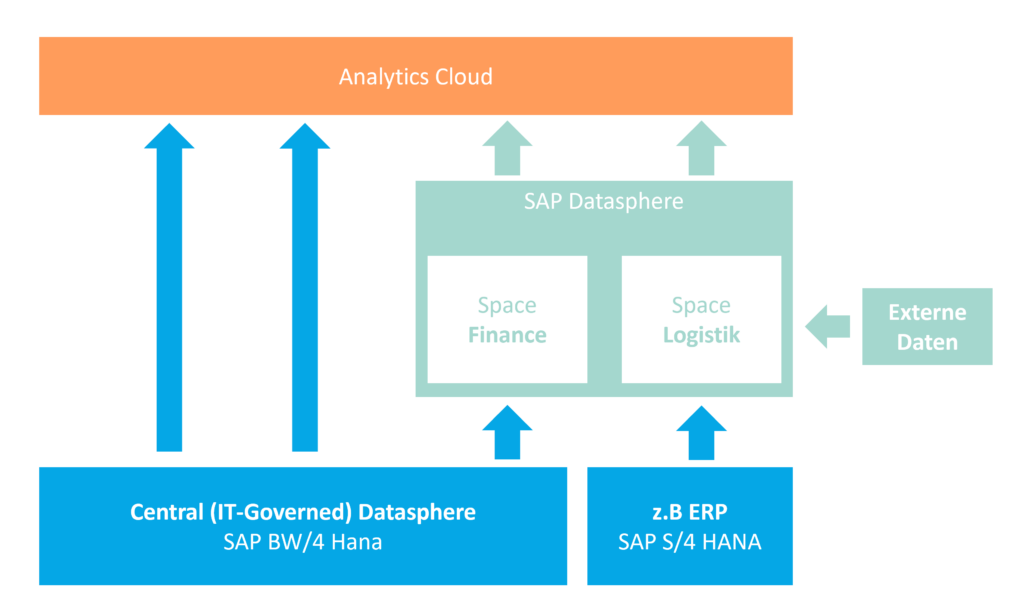
Graphic - SAP Datasphere scenario

Data model in SAP BW/4HANA

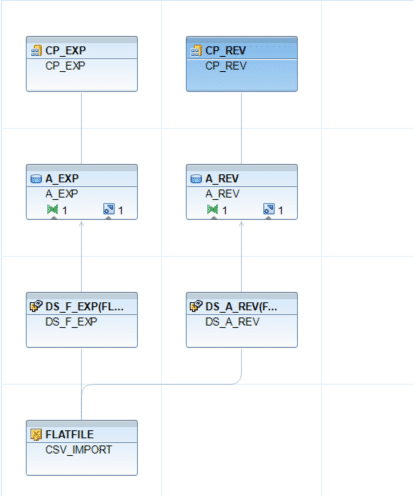
In SAP BW/4 HANA, the following simple data model exists for transaction data:

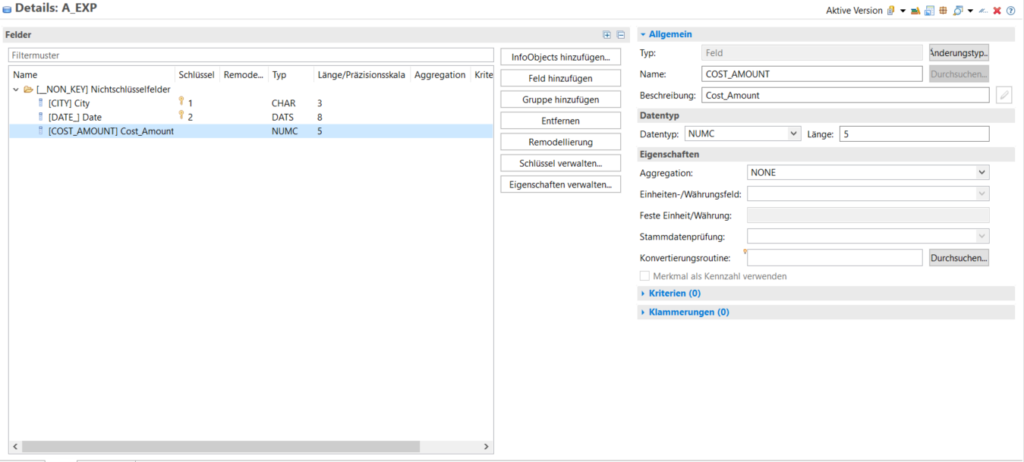
The aDSO cost has the following simple structure:

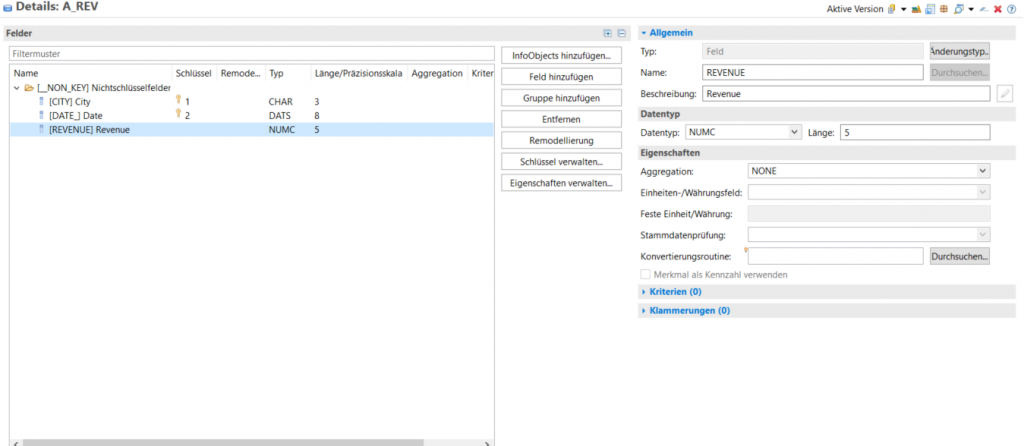
Structure of aDSO's turnover:

Our integrative SAP BW/4HANA scenario

In our fictional, very simple case, let's imagine that SAP BW does not contain any master data for the cities. However, a department has a CSV file with the translation of IDs into descriptions of the cities. In addition, the "Profit" column is to be calculated in Datasphere based on the BW/4 and CSV data.  We have already created a table for the CSV file in Datasphere (see also: Datasphere – Introduction to Data Modeling).

Graphic - Integrative SAP/BW-4HANA scenario

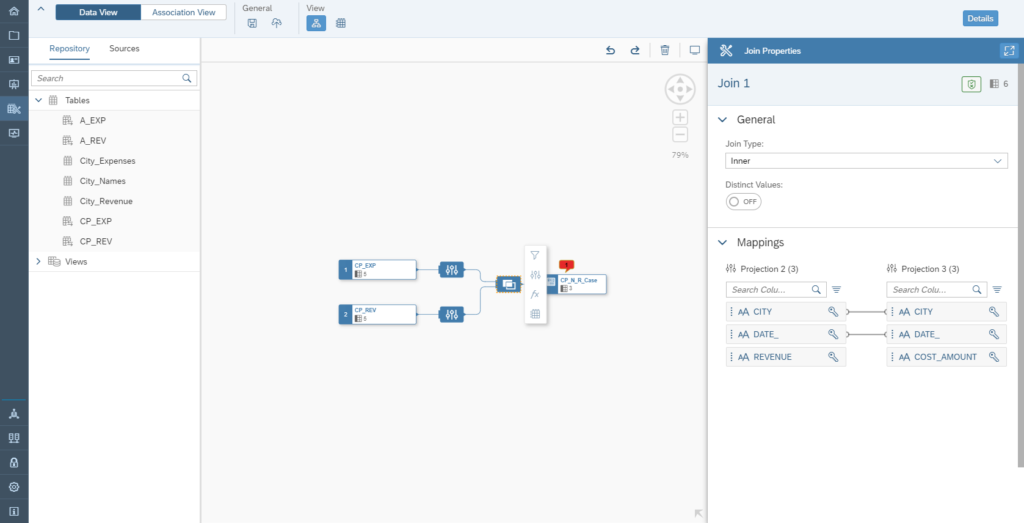
Join the two composite providers

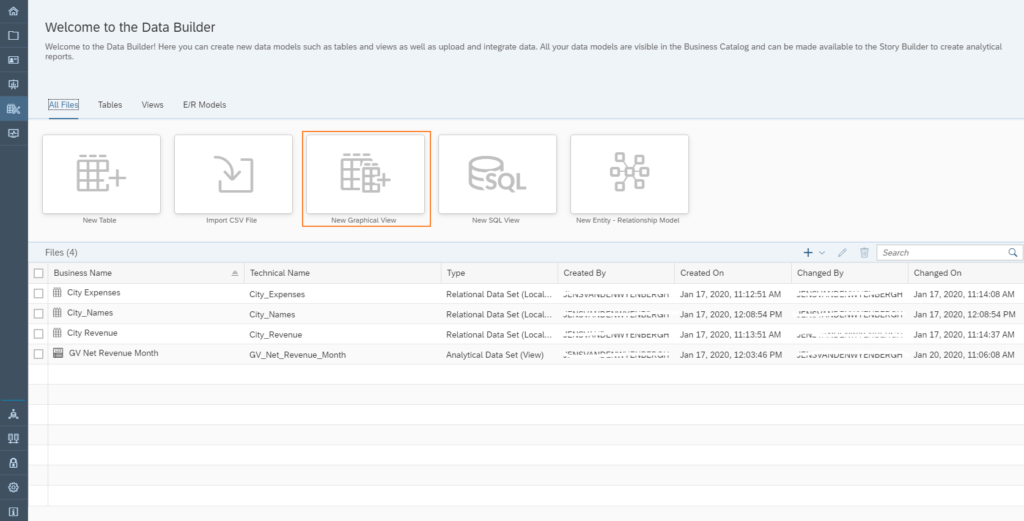
To integrate the data from BW/4 into Datasphere, you must first set up the connection to BW/4, as described in the post "Datasphere connection to local systems." Once the connection is established, you can start building a data model in Data Builder, regardless of the source of the Datasphere. In our case, we create a graphical view:

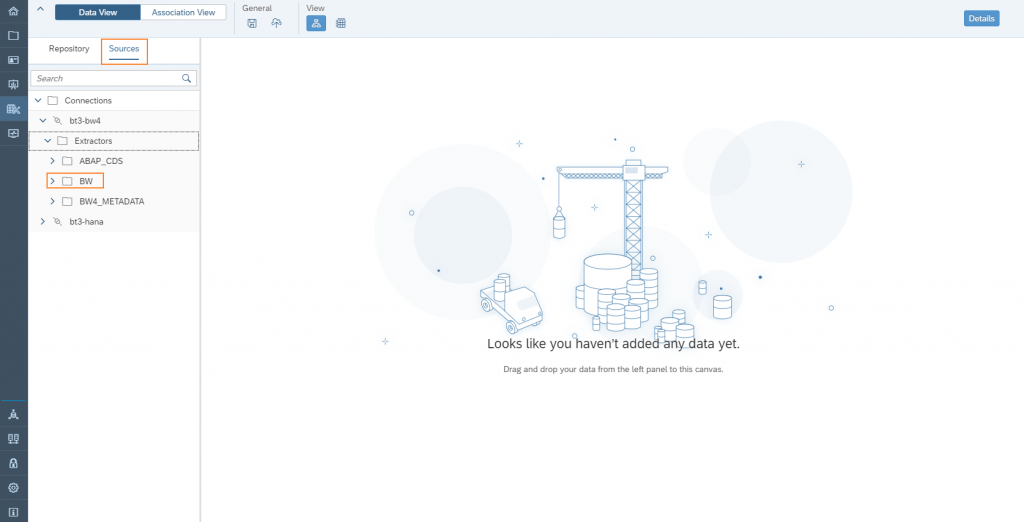
Navigate to remote sources → Select connection BW/4 or HANA

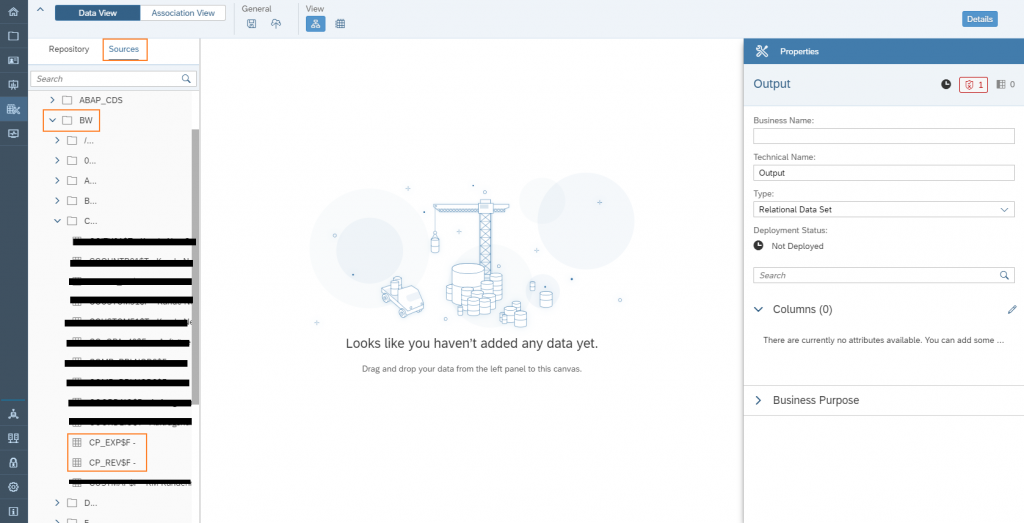
Add both CompositeProviders to the Graphical View.

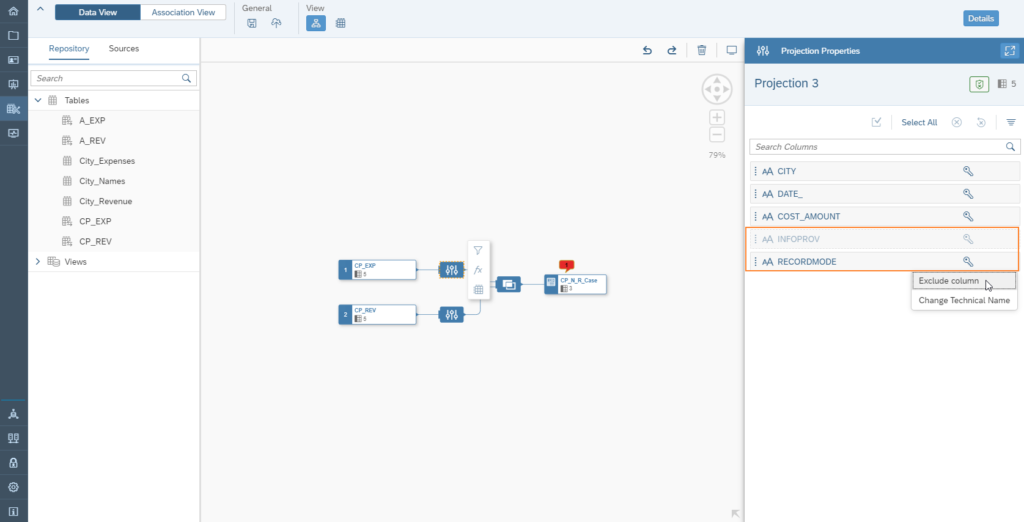
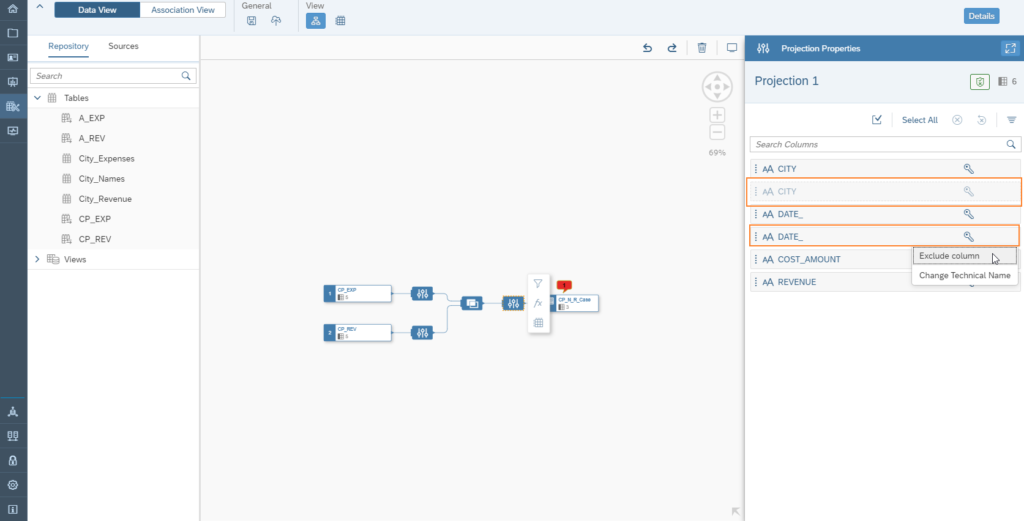
Hide the "InfoProv" and "Recordmode" columns for CP_EXP and CP_REV respectively.

Check the join condition of the 2 CompositeProviders.

Hide the "City" and "Date" columns as they are duplicates.

Et voilà:We have connected two SAP BW/4 HANA composite providers and joined them together. Uniform reporting is now possible.

Join the BW/4HANA data with the mapping table

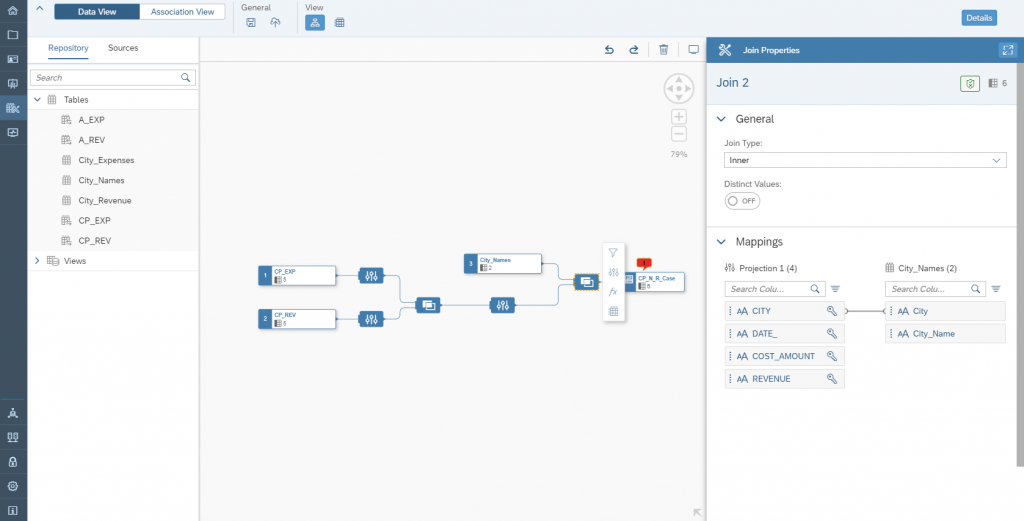
We have stored the names of the cities in a Datasphere table, which is populated from a CSV file (for details, see also here). We can easily add this "City_Names" table to our graphical view:

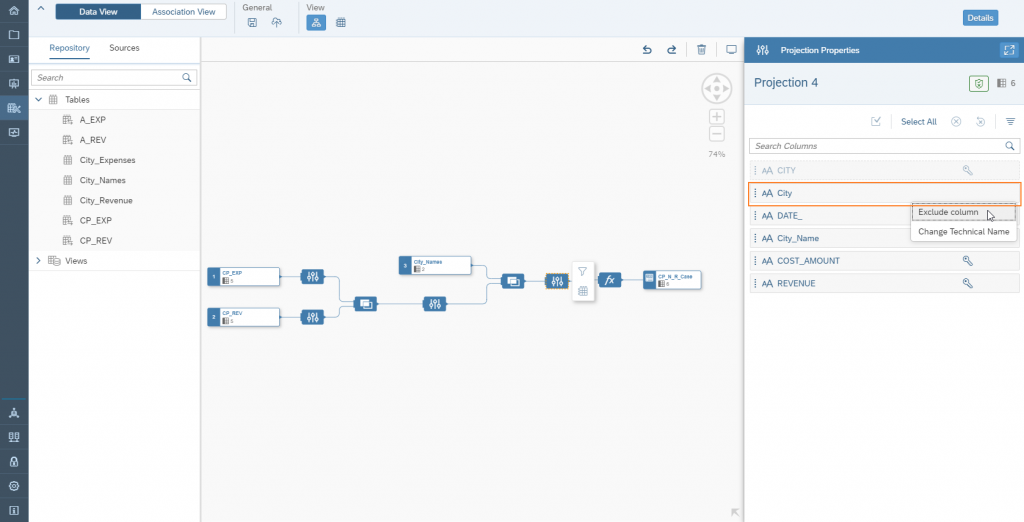
Hide the last "City" column, which only contains the abbreviations for the cities.

Creation of a calculated key figure based on the consolidated data

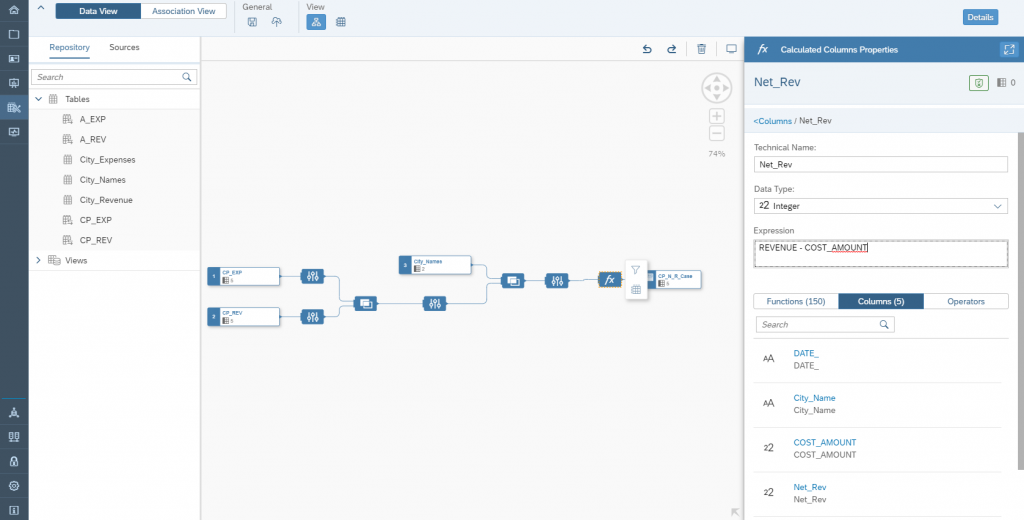
Our model is still missing the profit metric. To implement this, we create a new "Calculated Column":

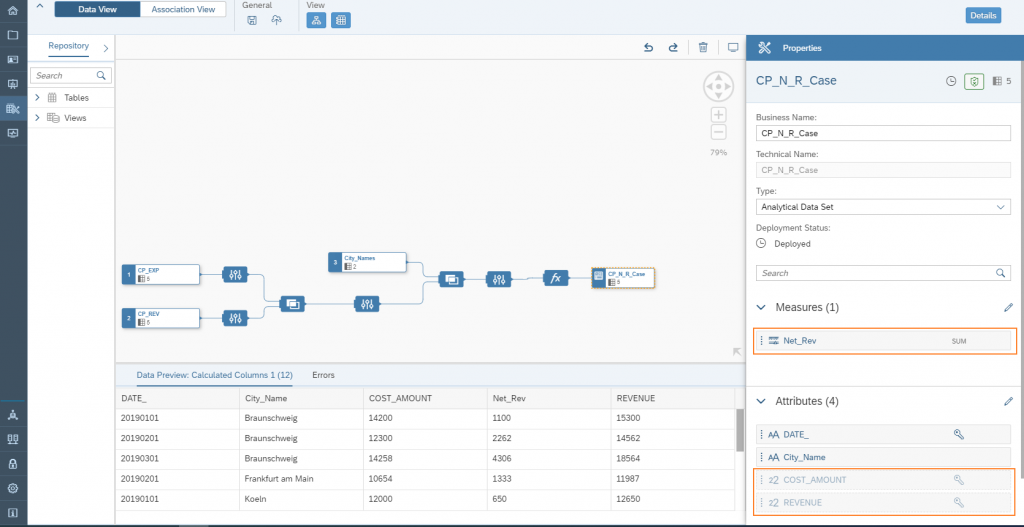
Please note: To use the Graphical View in stories, it must be deployed as an Analytical Data Set.
We also hide the "Cost_Amount" and "Revenue" columns, as only the profit is to be taken into account in the subsequent evaluation.

Visualization of data directly in the Datasphere

Based on our very simple mixed data model, we can quickly visualize the data using the integrated Storybuilder in SAP Analytics Cloud (SAC):

Summary and outlook

Our very simple example immediately demonstrates the strength of Datasphere. Modeling data models is very quick and easy. Datasphere is still very new on the market, but even today it already covers one use case very well: A company uses its SAP BW/4HANA system as a central enterprise data warehouse, placing a high value on governance and quality. However, the specialist departments are looking for a way to map flexible extensions and views based on this stable database. Datasphere is very well suited for this purpose. In our case, it was simply a matter of enriching a file. However, it is also conceivable to connect BW/4 data with information from other systems.
Graphic - SAP BW/4HANA system
Our example also showed that no real metadata was extracted from the BW/4HANA system. It is more of a consumer view, where data can be loaded flat from BW without further knowledge of the metadata structures. With the upcoming Model Transfer Connection (More details), Datasphere will also gain the ability to understand and transfer metadata already defined in SAP BW/4HANA. This means that calculated key figures from queries will also be understood, etc. A big step forward. The capabilities for transforming data will also be significantly expanded in the coming months with Data Flow. This will enable persistent data flows to be established. In addition to SQLScript, logic can also be implemented with Python in the future. (More details) Both examples show that the Datasphere roadmap is very full. We are excited and will again dedicate blog posts to the new features.
ISR Employee Image

Christopher Kampmann
Head of Business Unit
Data & Analytics
christopher.kampmann@isr.de
+49 (0) 151 422 05 448

About ISR

Since 1993, we have been operating as IT consultants for Data Analytics and Document Logistics, focusing on data management and process automation.
We provide comprehensive support, from strategic IT consulting to specific implementations and solutions, all the way to IT operations, within the framework of holistic Enterprise Information Management (EIM).
ISR is part of the CENIT EIM Group.

Visit us virtually on these channels:

News Categories
News Archive

Latest Publications

Upcoming ISR Events

[tribe_events_list limit=”3″]