In our customer projects, but also in internal projects, we regularly face the challenge of generating meaningful test data.
Using a fictional showcase company, this article aims to present a simple way to generate test data with the help of SAP BW/4HANA and ABAP.
data model
Imagine a fictional showcase company that sells computer accessories worldwide through local locations. We have set up a very simple sales data model for our showcases. The following figure shows the entities of the sales data model and their relationships to each other:
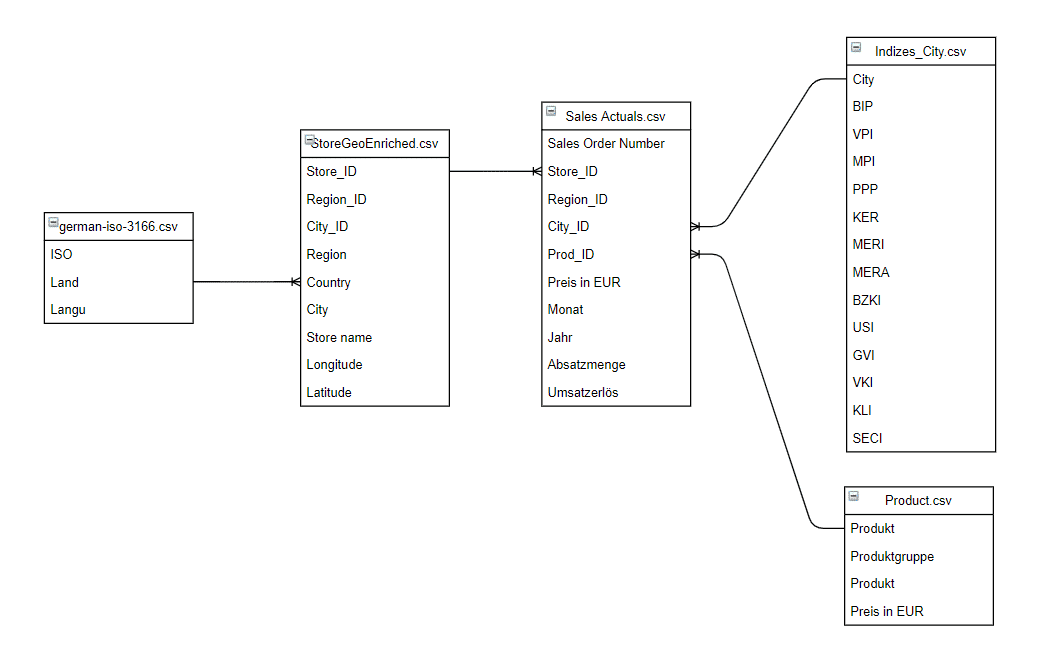
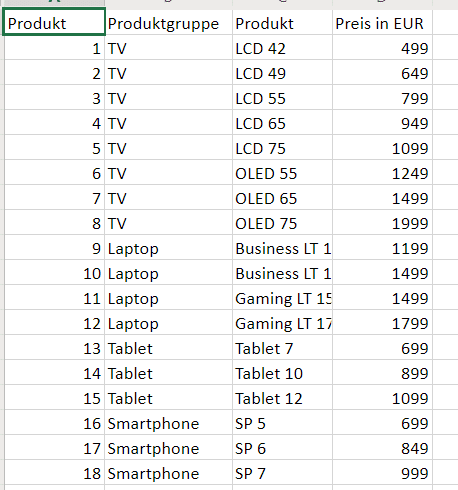
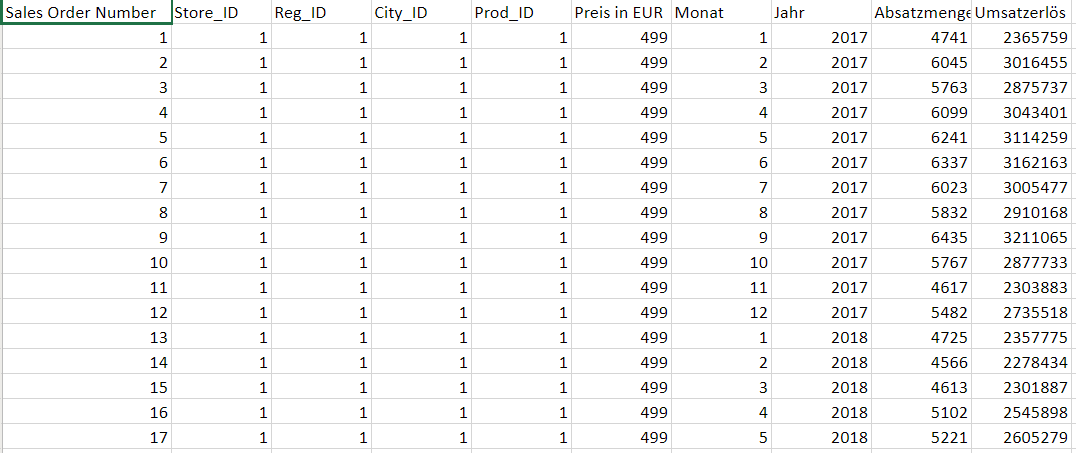
Excerpts from the tables
Products:
Stores:

Sales orders:
Indices:
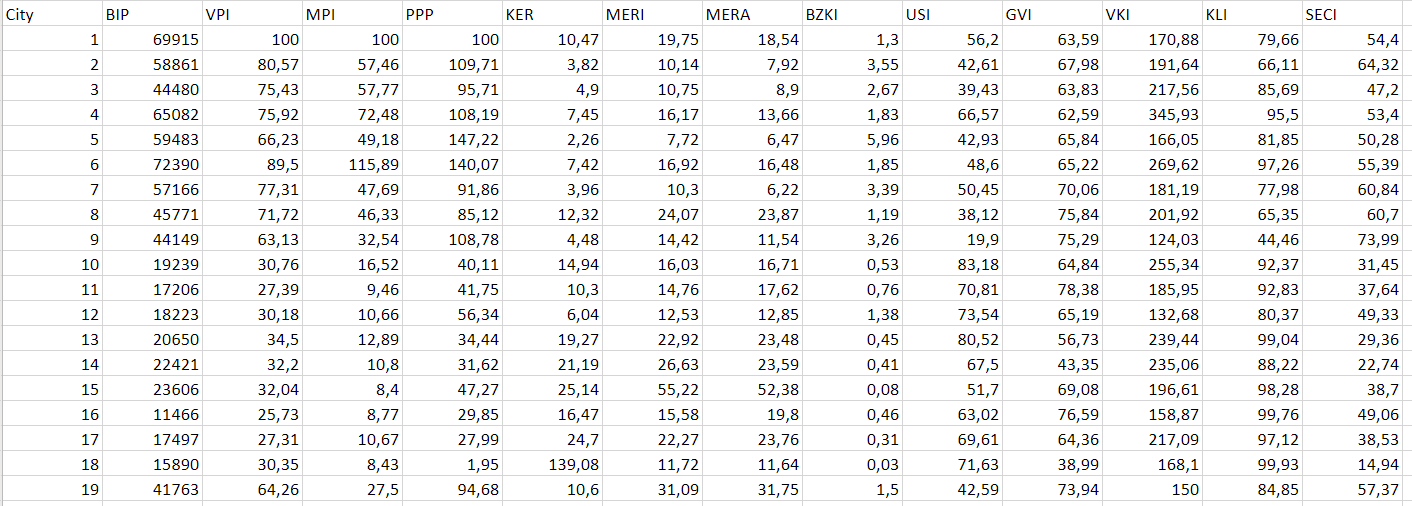
| abbreviation | indices |
|---|---|
| CPI | consumer price index |
| MPI | rent index |
| PPP | purchasing power parity index |
| KER | Purchase price_property income ratio |
| MERI | Ratio of prices to rent in the city center |
| MERA | Ratio of prices to rent outside the city center |
| BZKI | affordability index |
| USI | environmental pollution index |
| GVI | healthcare index |
| VKI | traffic index |
| KLI | climate index |
| SECI | security index |
Technically, the data model in SAP BW/4 HANA is mapped using InfoObjects and aDSO.
Idea of the data generator
A generator should be able to generate the values of sales orders. The values are influenced by threshold values for product sales volumes and regional distributions (stores). It should also be possible to take trends and seasonal factors into account. The idea behind the generator is outlined in the figure below:
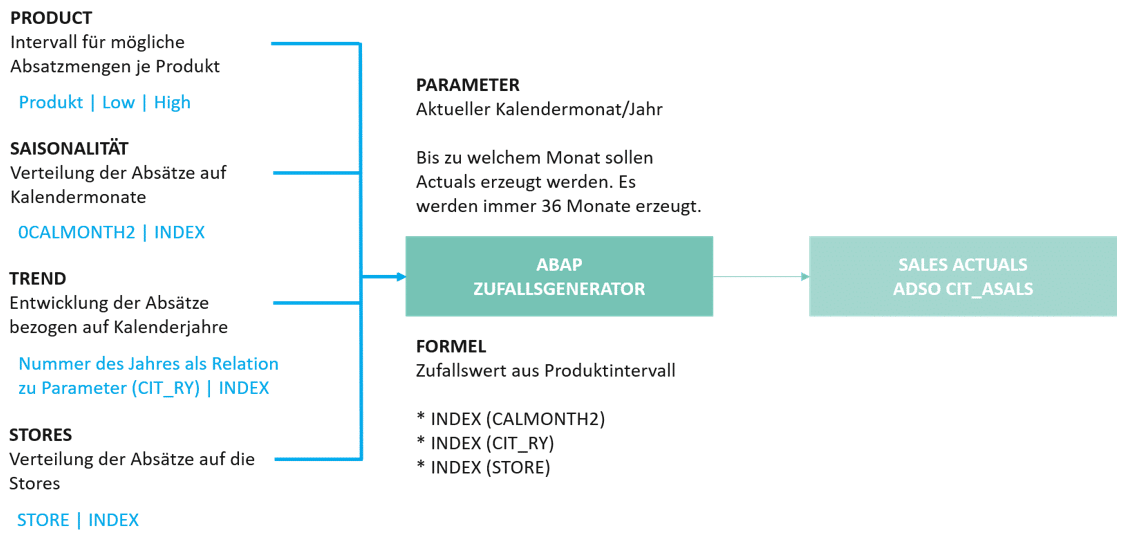
The user selects a calendar month (0CALMONTH) and, based on the settings for products, stores, trends, and seasonality, an ABAP program generates the sales orders for the last three years.

The "index" is a value that can be used to weight sales volumes in order to map simple distributions. The index is easiest to explain using calendar months. If there is no seasonality, then each month has an index of 1 and the sum of the index across all months is 12. If a month has a value lower or higher than 1, a seasonal weighting can be set. It is important that the sum remains 12.
Sample calculation:
- Product LCD 42": Sales volume may be between 5,000 and 10,000 units (if all other indices are 1.0)
- The calendar month of January has an index of 0.9 (i.e., less than 1/12 of the annual sales volume is sold in January).
- The calendar year has a trend index of 1.2 (i.e., sales volume is higher compared to other years).
- One store belonging to our showcase company has an index of 2.0 (i.e., the store sells significantly more than other stores).
The program should calculate the sales volume using the following formula: 7,500 (random value between 5,000 and 10,000) x 0.9 x 1.2 x 2.0 = 16,200 sales volume. Random values are generated for all products and stores that are available in the master data of our example company.
Implementation of the data generator with SAP BW/4HANA
The following figure outlines the technical implementation of the generator in SAP BW/4 HANA.

1 | The generator uses the master data from the data model of our showcase company. The products and stores entered in the corresponding InfoObjects are used as the base set.
2 | The settings are made via BPC Embedded. The "Master Data" access type is used for the characteristics so that "planning" is always carried out for all products and stores available in the master data.
Example for calendar months:
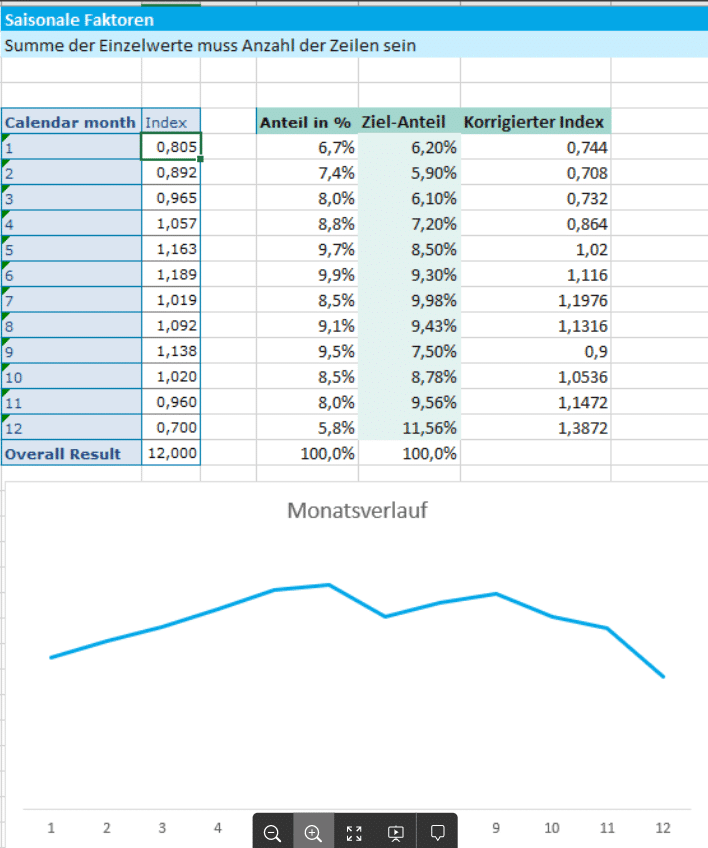
3 | Finally, the ABAP program summarizes everything, generates the random values, and writes them to the target aDSO.
Conclusion: An easy way to generate test data
We regularly encounter the challenge of having to generate test data in projects or internally as ISR. The method described above is very quick and easy to implement. The data records can be generated in a few seconds and are reproducible.

Christopher Kampmann
Head of Business Unit
Data & Analytics
christopher.kampmann@isr.de
+49 (0) 151 422 05 448