The client requires that, within a time series to be analyzed, the current month be segmented into "until today" (historical view) and "from today" (future view).
This process involves the evaluation of inventories and demand forecasts, among other data. Furthermore, users have the flexibility to define the specific historical and future timeframes for analysis.
The implementation, utilizing a BW Query, will employ a fixed structure that clearly delineates which structural elements pertain to the past and which to the future.
Within a query, structural elements are to be displayed or concealed based on a date selection. In the described application example, a characteristic structure is configured to evaluate 12 months from the current month, spanning both the future and the past. A fixed temporal structure was necessary because calculations must be performed at runtime within cell references (Link SAP), contingent on whether the month under consideration falls in the past or the future. The report user determines, via the selection screen, which months are to be evaluated in the report. The structure's definition provides for the display or concealment of structural elements to be controlled by a variable.
Generally, structures allow for structural elements to be visible or hidden via variable control.
Research has shown that there is limited information or best practices available online for this specific issue. This blog article provides a step-by-step description of how to implement this requirement.
Step 1: Variable Creation
1.1 Customer Exit Variable for Displaying and Hiding Structural Objects
In SAP BW, variables are always created based on an InfoObject. Through experimentation and debugging, it was determined that a variable controlling the visibility of structural elements must be created on the 1MEMBER object.
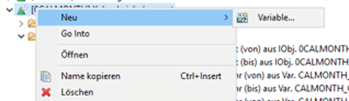
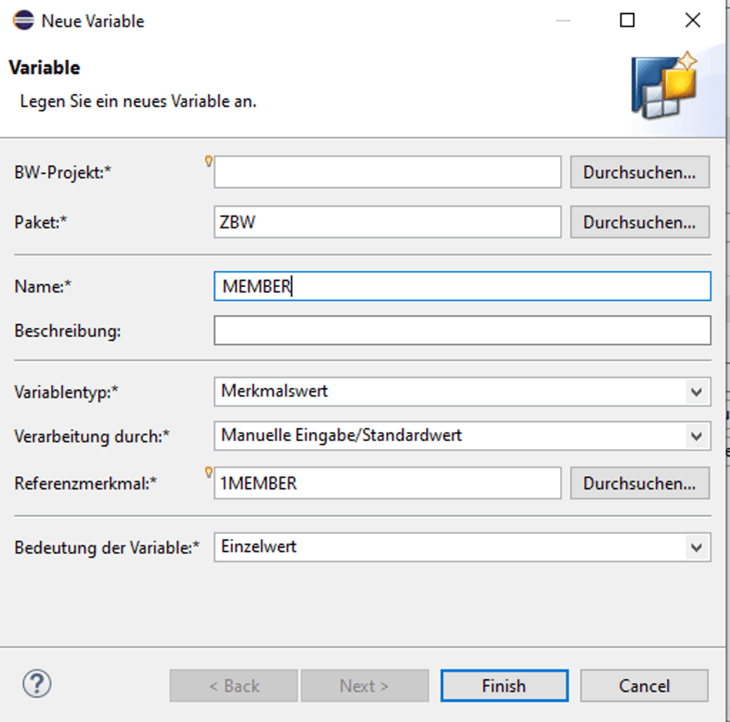
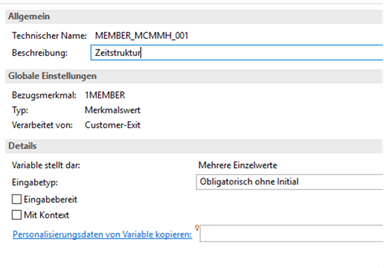
A new variable of type "Characteristic Value" with processing via "Customer Exit" is created. The reference characteristic for this is 1MEMEBER.
When creating the variable, it should be noted that the 1MEMBER object cannot be inserted via search but only through direct input:
1.2 Creating Input-Ready Text Variables
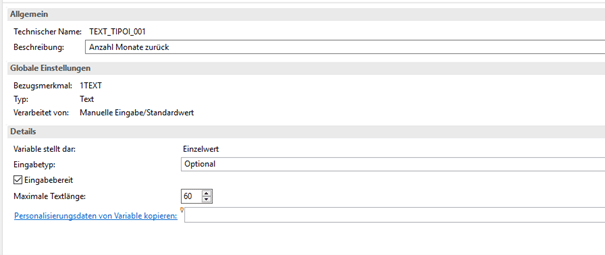
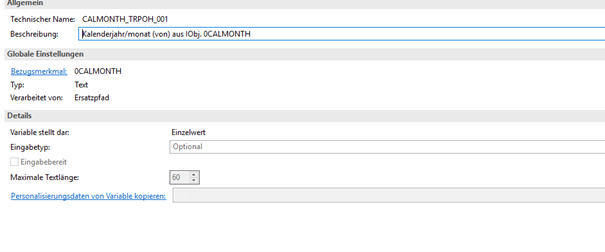
The Customer Exit variable described in 1.1 must determine values based on user input. Therefore, user inputs are captured in text variables that specify the number of months into the past and into the future.
For this purpose, two input-ready text variables must be created.
The text variables are then included in display-suppressed structural elements so that they can be utilized as filters within the query.
The following inputs can then be made during report execution:
The text variables are then included in display-suppressed structural elements so that they can be utilized as filters within the query.
The following inputs can then be made during report execution:
Step 2: Time Structure Creation
Please note that the described procedure can only be implemented using local structures; it is not possible to set a variable for the visibility of structural elements on global structures.
Structural elements must be created for the entire period, spanning 12 months into the past and 12 months into the future from the current date. It should be noted that the current month is additionally segmented into 'until today' and 'from today'.
2.1 0Calmonth is used and restricted as a structural element
2.1.1 The individual structural elements adhere to a fixed naming convention, enabling the correct element for display to be identified later.
To enable unambiguous identification of structural elements within the Customer Exit, each element must be assigned a technical name that clearly defines its temporal context. In our example, reporting is limited to a maximum of 12 months into the past and 12 months into the future. The date variable itself is restricted via an offset variable. Thus, structural element '012' is restricted to the previous year's month, structural element '112' to the following year's month, '001' represents the previous month, '101' represents the following month, and so forth.
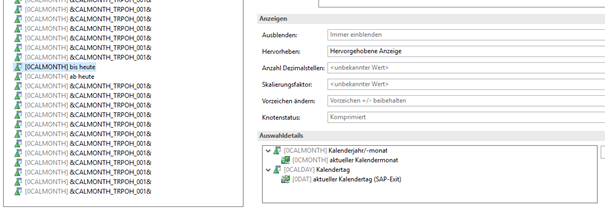
2.1.2 Das Strukturelement „bis heute“ wird eingeschränkt auf den aktuellen Kalenderjahr/monat (über die SAP-Exitvariable 0CMONTH), zusätzlich wird der Kalendertag auf <= aktueller Kalendertag (über die Sap-Exitvariable 0DAT) begrenzt
2.1.3 The 'from today' element is restricted to the current calendar year/month (via the SAP Exit variable 0CMONTH), and the calendar day is additionally limited to > current calendar day (via the SAP Exit variable 0DAT).
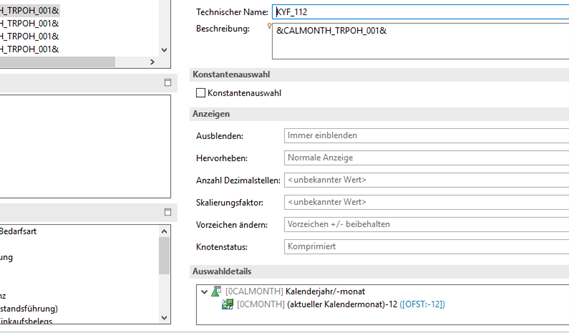
2.1.4 The preceding and succeeding months are then generated via variable offset. The depicted image illustrates an example for the previous month.
2.1.5 The text replacement variable is inserted into the description of the structural element, ensuring that the respective calendar year/month is displayed during report execution.
2.2 Structure Properties
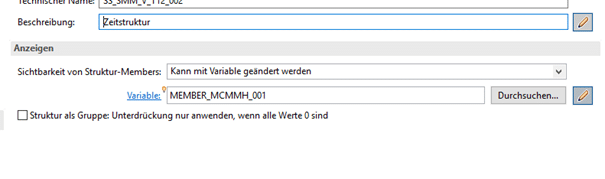
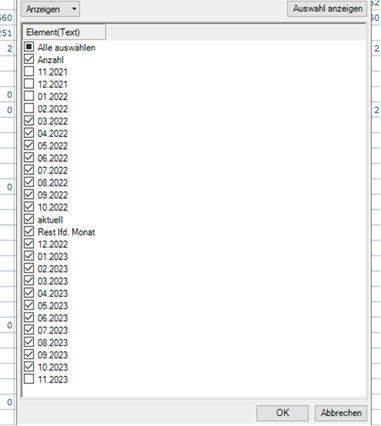
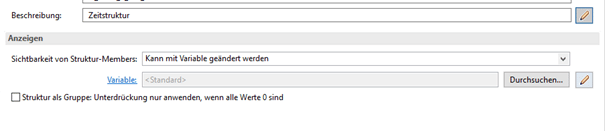
In the general properties of the structure, the visibility of structural elements must be set to 'Can be changed via variable'. The Customer Exit variable created under 1.1 is included in this variable, ensuring that only the elements selected by the user are displayed in the report result.
Step 3: Implementation of the Customer Exit
The Customer Exit for the 1Member variable then determines, based on the entered time windows (from the input-ready text variables), which structural objects are to be displayed. For instance, if the user opts to evaluate 5 months into the past and 7 months into the future, structural elements 001 to 005 (for the past) and elements 101 to 107 (for the future) are selected and consequently displayed in the report result.
Step 4: Query Definition and Report Execution
The query was then defined such that the time structure is represented in the columns and the key figures in the rows. Utilizing cell references, a single row can then output both a past-oriented inventory key figure and a future-oriented forecast based on order quantities. The query definition is highly individualized and falls outside the scope of this step-by-step guide.
The report result will then display the structural elements that the user has selected via their inputs.
Additional elements of the time structure can be selected or deselected within the report result using the structure's report filter.
Summary
Through the visibility settings within the structure, elements can be shown and hidden not only by direct user input but also by controlling a variable. This variable must be defined as a Customer-Exit variable on the 1MEMBER object. Within the Customer Exit, the visibility can be controlled in the code based on other inputs or restrictions.
If no variable is selected in the structure settings, all structural elements will be presented to the user on the selection screen, which then need to be chosen.
However, the presented solution utilizing the 1Member variable can only be implemented in local structures. Global structures do not offer the option to input a variable.
For different queries that utilize the same structure, references to the global structure must be dissolved. In the event of a structure change, this can lead to significant additional effort.
The implemented solution has proven effective in meeting the described customer requirement for evaluation and provides users with a straightforward method to analyze different time periods. The fixed structure inherently defines whether the values are historical or prospective.
Since 1993, we have been operating as IT consultants for Data Analytics and Document Logistics, focusing on data management and process automation. We provide comprehensive support, from strategic IT consulting to specific implementations and solutions, all the way to IT operations, within the framework of holistic Enterprise Information Management (EIM). ISR is part of the CENIT EIM Group.