Enhanced Efficiency and Improved User Experience Extension for IBM Content Navigator
The ICN Toolbox augments IBM Content Navigator (ICN) with valuable functionalities that streamline daily workflows and enhance efficiency. Through intuitive customizations, it improves usability, facilitating faster navigation and optimized utilization of the IBM FileNet Content Manager platform. Enterprises benefit from increased user adoption and the continuous evolution of the Toolbox.
Envision your digital workspace as your physical desk: everything in its place, readily accessible at all times. The IBM Content Navigator already provides a robust interface for Digital Business Automation. However, it is often the subtle optimizations that yield a significant impact.
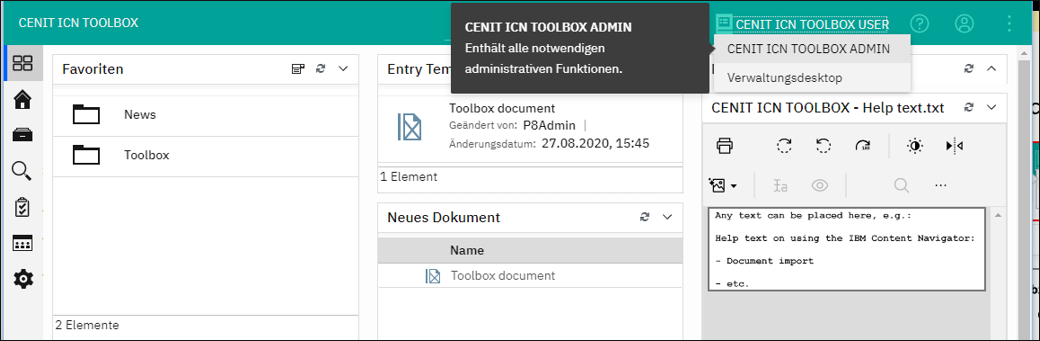
The ICN Toolbox addresses this very point: It specifically extends IBM Content Navigator with functionalities such as one-click desktop switching, direct Excel export of object properties, and a comprehensive dashboard. The objective is a workspace interface that renders your daily tasks more structured, efficient, and user-friendly.
Productive Document Management Made Simple ICN Toolbox Features
Dashboard
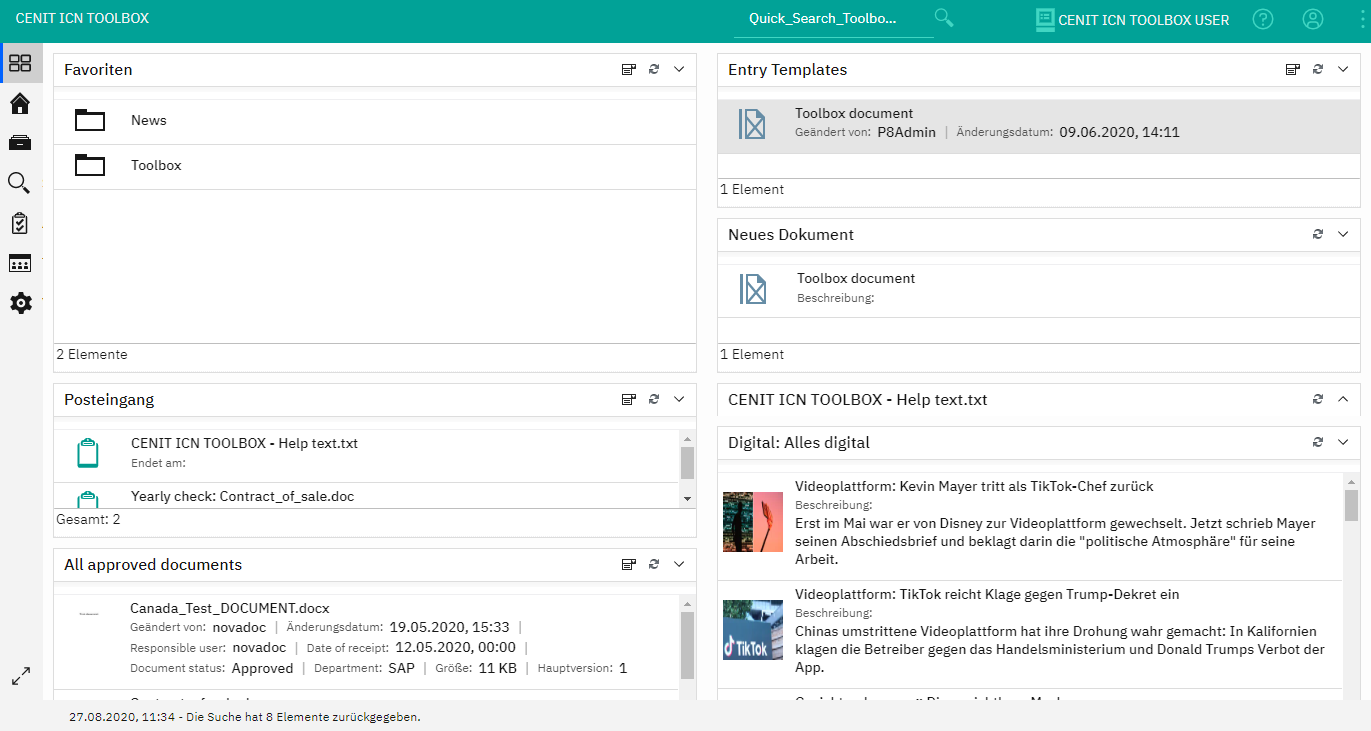
The Dashboard provides an intuitive entry point into IBM Content Navigator and offers a customizable overview. With configurable portlets for messages, reminders, and searches, users consistently maintain oversight of their critical tasks and documents.
Rapid Access
The ICN Toolbox optimizes access to core areas such as search and the Explorer, ensuring relevant content is accessible with minimal clicks. This minimizes superfluous operational steps and enhances daily workflow efficiency.
Follow-up
Documents can be flagged for subsequent processing, ensuring critical tasks are not overlooked. Users can assign specific deadlines to reminders and receive targeted notifications for documents.
Excel Export
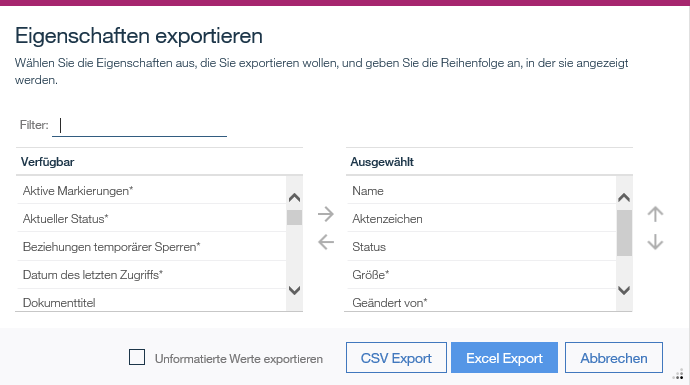
Document properties can be directly exported to Excel formats (csv/xlsx), enabling rapid data processing. This, among other benefits, streamlines the generation of reports and analyses by eliminating manual intermediate steps.
Desktop Switching & Display Settings
Users can seamlessly switch between various workspaces and save their column and layout configurations. These settings are automatically restored upon the next login, thereby preserving the personalized work environment.
Document Relocation
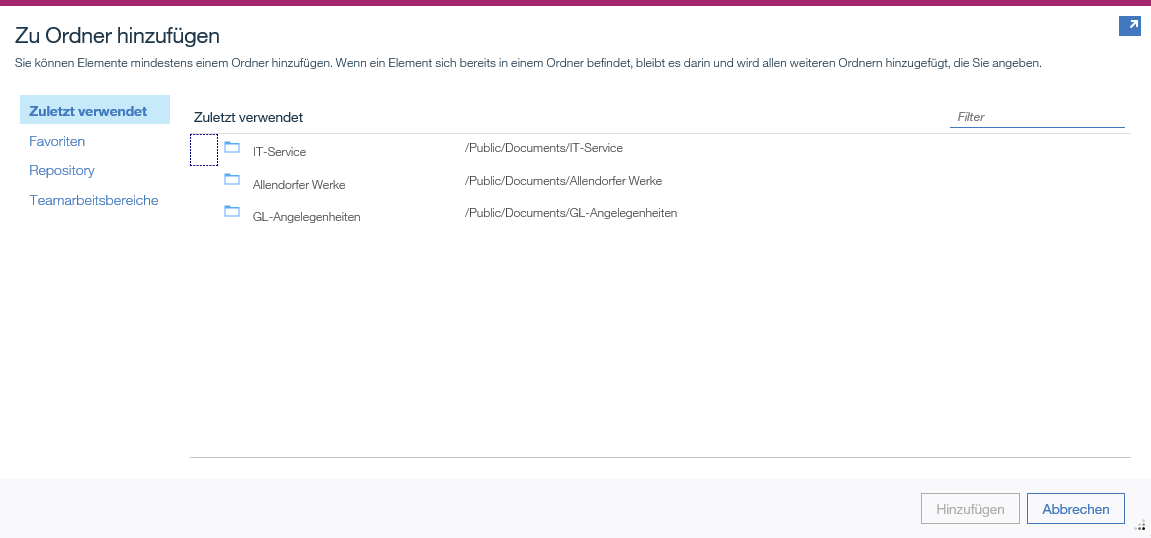
Documents can be rapidly and effortlessly relocated from one folder to another using an optimized move function. Recently used and favorited folders are suggested to further expedite this process.
Optimized Workflows for Your Enterprise Benefits of the ICN Toolbox
The ICN Toolbox provides essential enhancements for IBM Content Navigator, significantly streamlining daily operations. These functionalities can be seamlessly integrated into existing installations without incurring additional development costs. By strategically simplifying frequently used functions, superfluous operational steps are minimized.
Concurrently, ergonomics are optimized to further enhance the usability of IBM Content Navigator and boost user adoption. This continuous evolution of the Toolbox ensures that enterprises will continue to benefit from new, practical functionalities in the future.
Increased Efficiency through the strategic simplification of frequently used functions.
Enhanced User Adoption through optimized ergonomics and usability.
No additional development effort for integration into existing installations.
Continuous further development with new functionalities.
Simple setup and expandable functionalities Integration & flexible customization
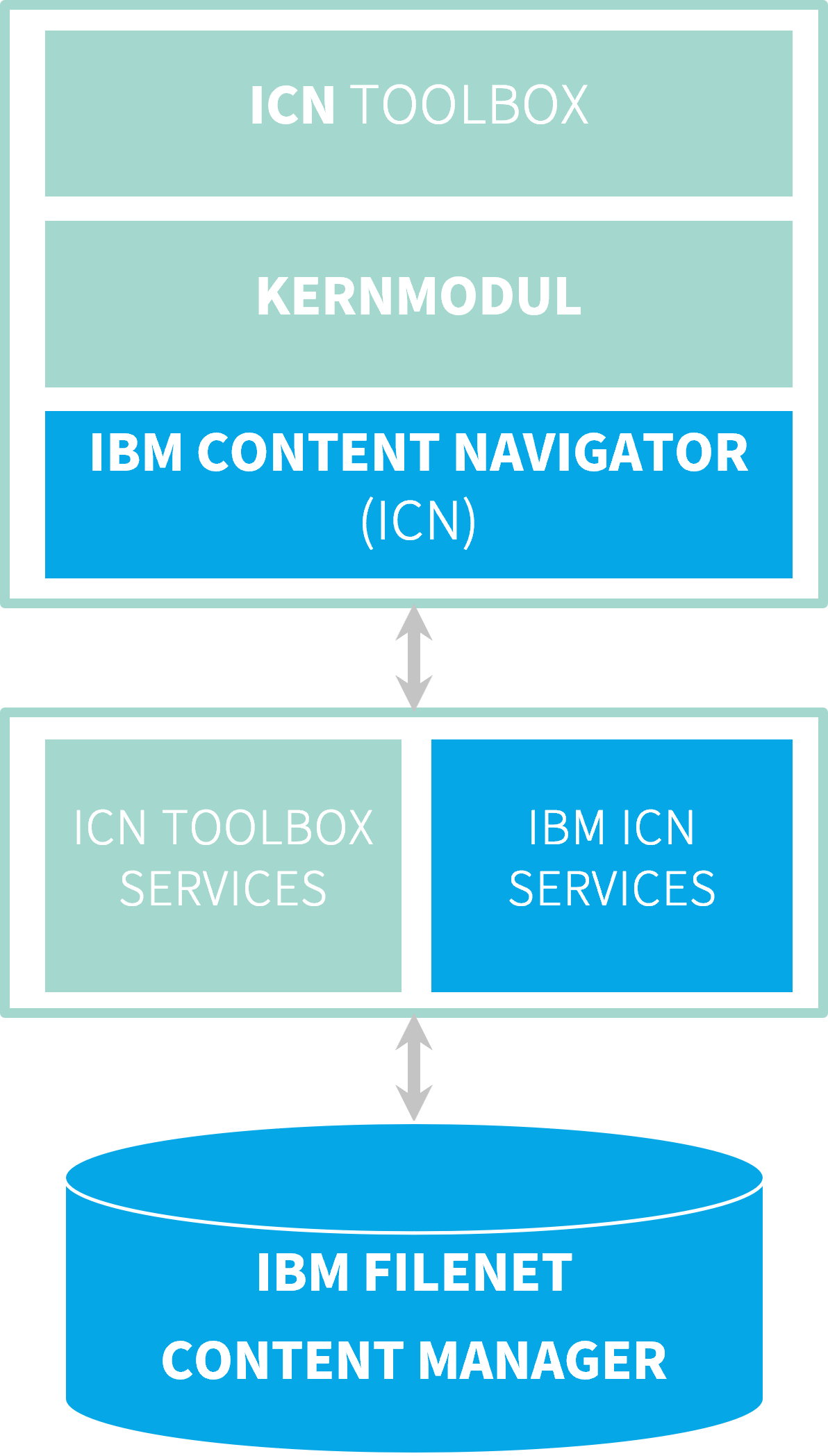
The ICN Toolbox is based on the IBM FileNet Content Manager platform and utilizes the official IBM ICN plugin interface.
This ensures a very simple and rapid setup. It comprises two core plugins that can be individually extended. Custom plugins can also be integrated, subject to a functionality review.
Its modular architecture allows the Toolbox to be flexibly adapted to your organization's requirements and seamlessly integrated into existing systems. Furthermore, leveraging the official interface ensures high compatibility and stability.
Integration of the ICN Toolbox into IBM Content Navigator
A Look at the Tool
Gain your own insights into the ICN Toolbox and discover how it streamlines your daily tasks. Developed by CENIT and operated by ISR as part of the CENIT Group , enabling your organization to operate more efficiently and productively.
Screenshot 1: Configure customizable dashboards with various portlets.
Screenshot 2: View and switch desktops
Screenshot 3: Easily define new layouts for data entry forms
Screenshot 4: Export document or folder properties directly in Excel format
Reliable, professional, and scalable IT Operations for ICN Toolbox and FileNet Environment
As an experienced partner for Enterprise Content Management, we support you with the implementation and operation of the ICN Toolbox. Our expert team ensures seamless integration into your existing IBM Content Navigator environment.
Application Management Services
For the seamless IT operation of your ECM platform
Customization of the ICN Toolbox to your business processes
Continuous support and further development
Ensuring compatibility with your FileNet Content Manager platform
Leveraging our extensive experience as an IBM Platinum Partner , you can be confident in harnessing the full capabilities of the ICN Toolbox. We assist you in optimizing your document management processes and enhancing your organization's efficiency.
The countdown is on... End of Support
Here you will find everything you need to know about the End of Support for our software products and what actions to take now.
Get in touch with us now We would be pleased to advise you.
Ready for enhanced efficiency in your document management? We assist you in optimizing your IBM Content Navigator and streamlining your workflows. We offer personalized consultation to demonstrate how you can achieve more efficient document administration, the specific enhancements the ICN Toolbox provides, and the individual customization options available for your business processes.