With the expanded option in BW transformations to use AMDP routines with SQL script for implementing logic in addition to ABAP, different approaches have also been added for checking and testing these implementations.
The article describes the options for optimally testing AMDP routines in SAP BW during development and after implementation, as well as checking their functionality and for errors.
In ABAP, one of the options available during development in the ABAP Editor is to check the source code using the "Check" function and display any initial errors. You can also set so-called "break points" in the source code, which later cause a "stop" at the corresponding point in debugging mode during the execution of the routine, so that you can then continue step by step, for example. This allows you to display the contents of tables and variables and check the assignments within the source code in detail. Similar options are also available for routines implemented using SQL script, although the procedure here differs slightly. Below, we will discuss two different ways of checking the source code during development and after successful implementation.
Debugging and simulation of AMDP routines in SAP BW transformations
Below are two ways to test AMDP transformation routines and check them for errors. It should be noted that the two methods differ fundamentally in terms of the environment in which they are used. While the second method, debugging AMDP routines in SAP BW transformations, takes place at the application level, the first method, simulating an SQL transformation routine, requires a database user because it is performed in the database's SQL console. There are also differences between the two methods in terms of their application in the various development phases. A transformation can only be debugged if it is error-free and already activated, and if a corresponding data transfer process to the target object already exists. Simulation, on the other hand, can take place during development. Although this also requires the source code to be error-free, a corresponding data flow does not yet have to be completely created, as the corresponding objects can be easily simulated in the SQL console.
Simulation of AMDP routines of an SAP BW transformation
Basic procedure:
Implementation of an anonymous BLOCK: DO BEGIN … END;
Inserting the code from the BW transformation
Before the actual "transformation" code, the "intab" must be defined and filled from the table of the source ADSO (e.g., active table).
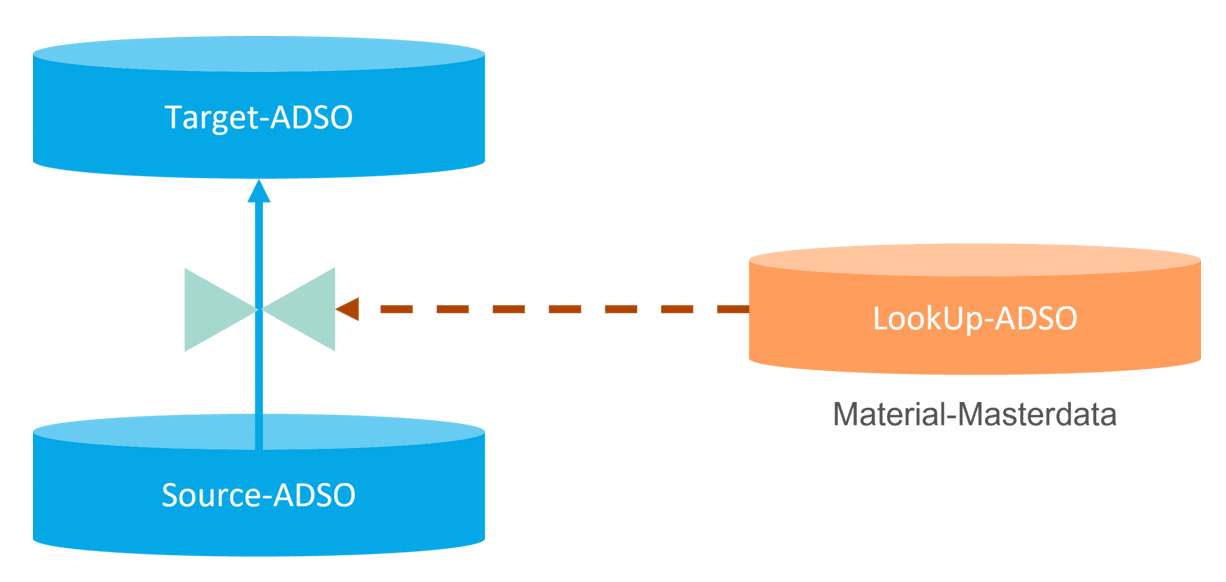
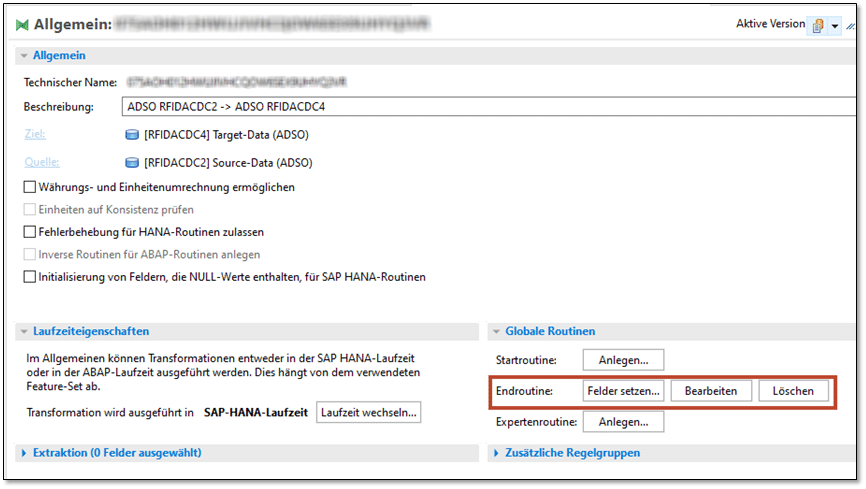
The following example shows a transformation between two ADSOs that contains an AMDP routine:
Fig. 1: Transformation between two ADSO | isr.de
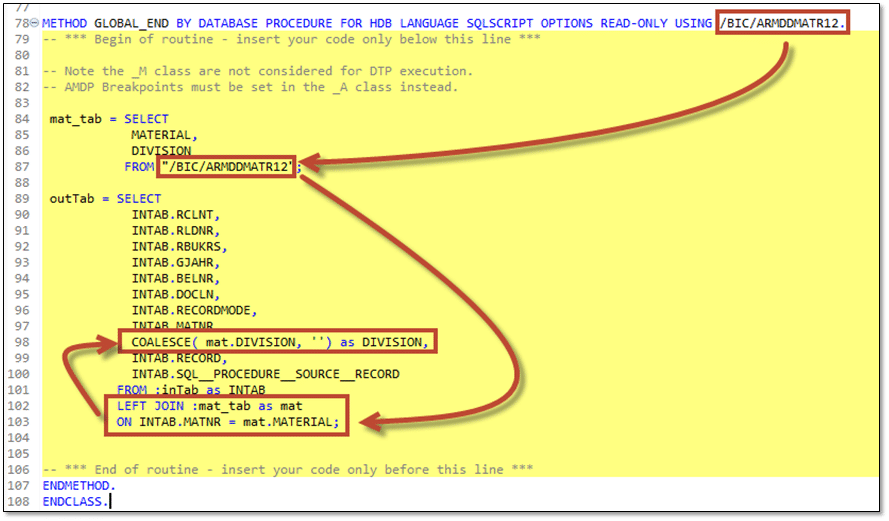
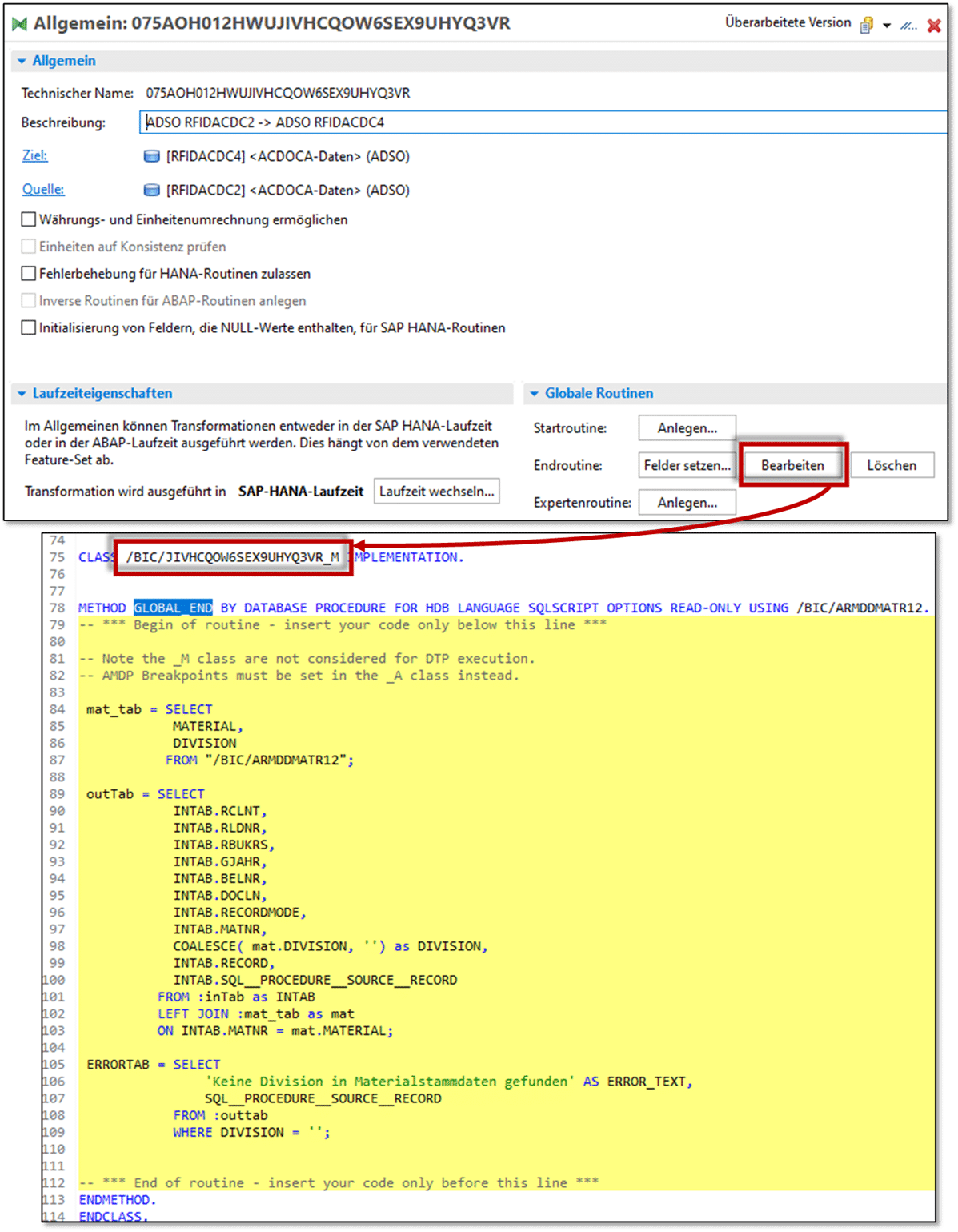
The transformation contains an AMDP end routine to determine the "division" from the material master data:
In this case, the required information (DIVISION) is read from the table of active data of another material master data ADSO (RMDDMATR1):
In order to reduce the testing effort during development, for example, since this always requires running a DTP and possibly also using the AMDP debugger, it is advisable to perform the "development" test in the SQL console.
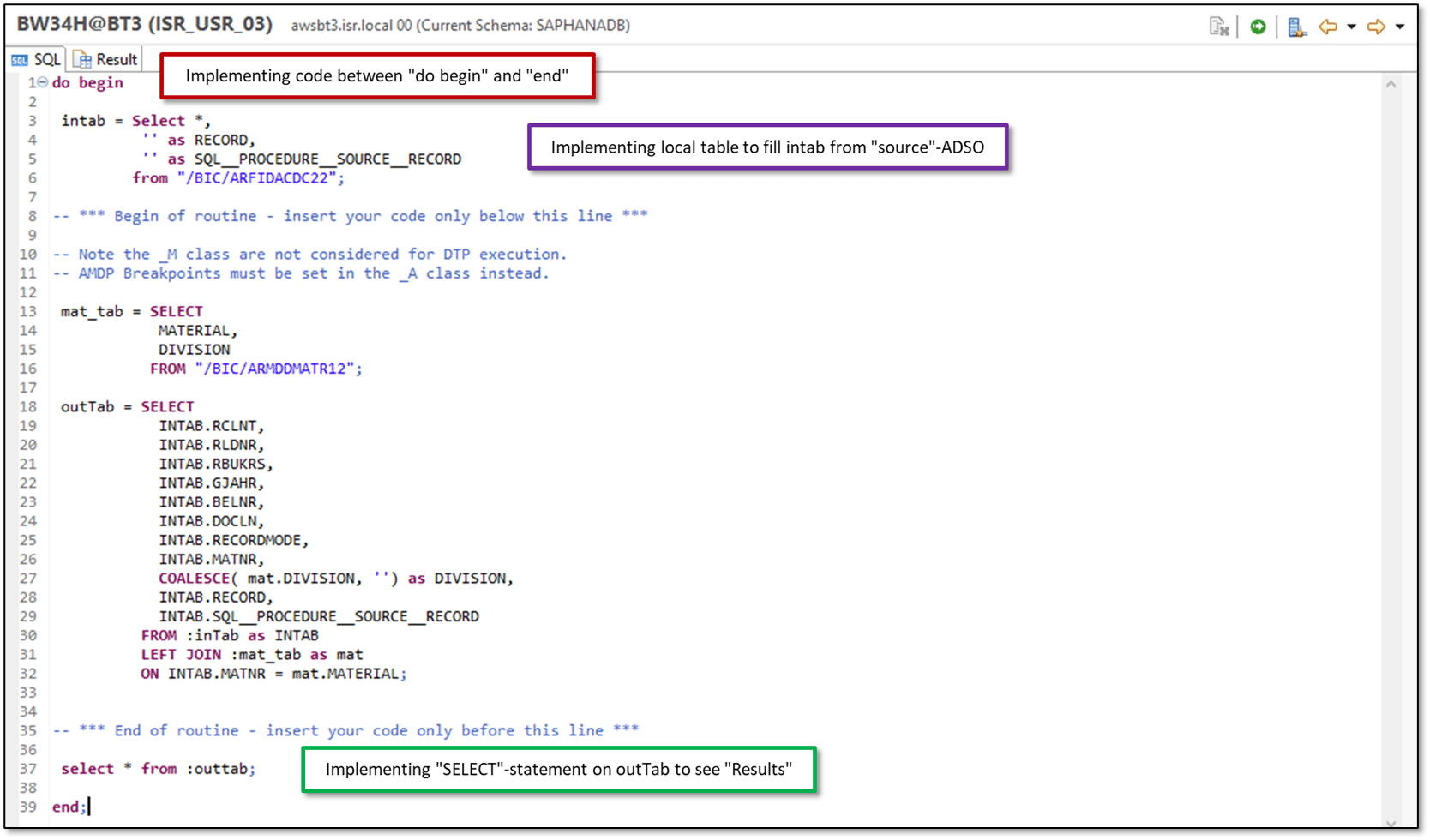
To do this, the routine is adjusted slightly and transferred to the SQL console:
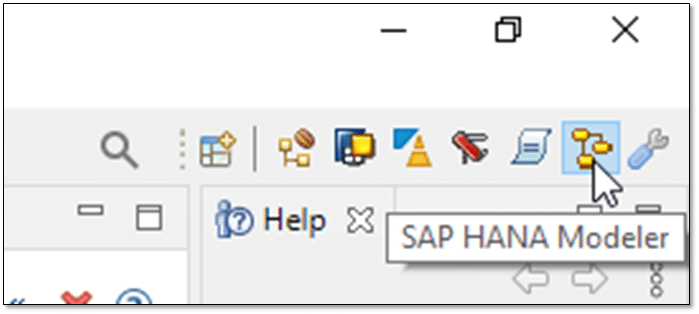
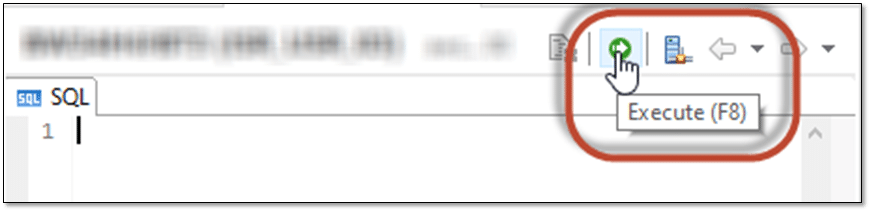
Opening the SQL Editor in the HANA Database Environment
Implementation of the SQL (script) code of the AMDP routine between "do begin" and "end;"
Filling the "intab" with the data from the source ADSO from the transformation
Create a "SELECT" statement on the "OutTab" to display the result.
This keeps the effort required to check the coding results relatively low during the development phase.
After executing the SQL code using the corresponding function, the source code execution result can be viewed:
Debugging AMDP routines in a BW transformation
Basic procedure:
Open routine in "A-Class"
Set breakpoint
Execute data transfer process
Switch to debugging perspective
The data model described in "Method 1" can be checked step by step at the application level directly in BW/4HANA using a debugger. To do this, the corresponding routine must be error-free and activated, and a data transfer process must be available.
If the corresponding routine is selected from the transformation, the M version of the routine is also opened automatically:
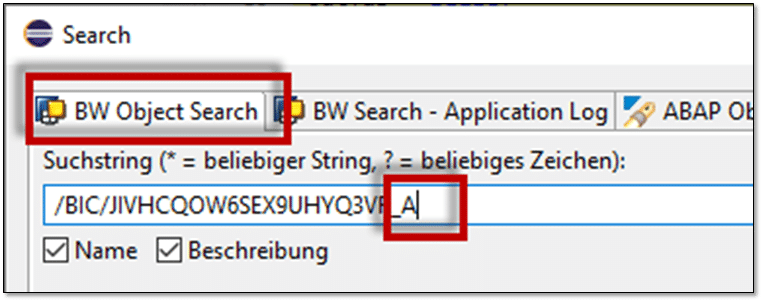
To switch to the A version, you can use the search function in the Eclipse environment. To do this, replace the extension "M" with the extension "A":
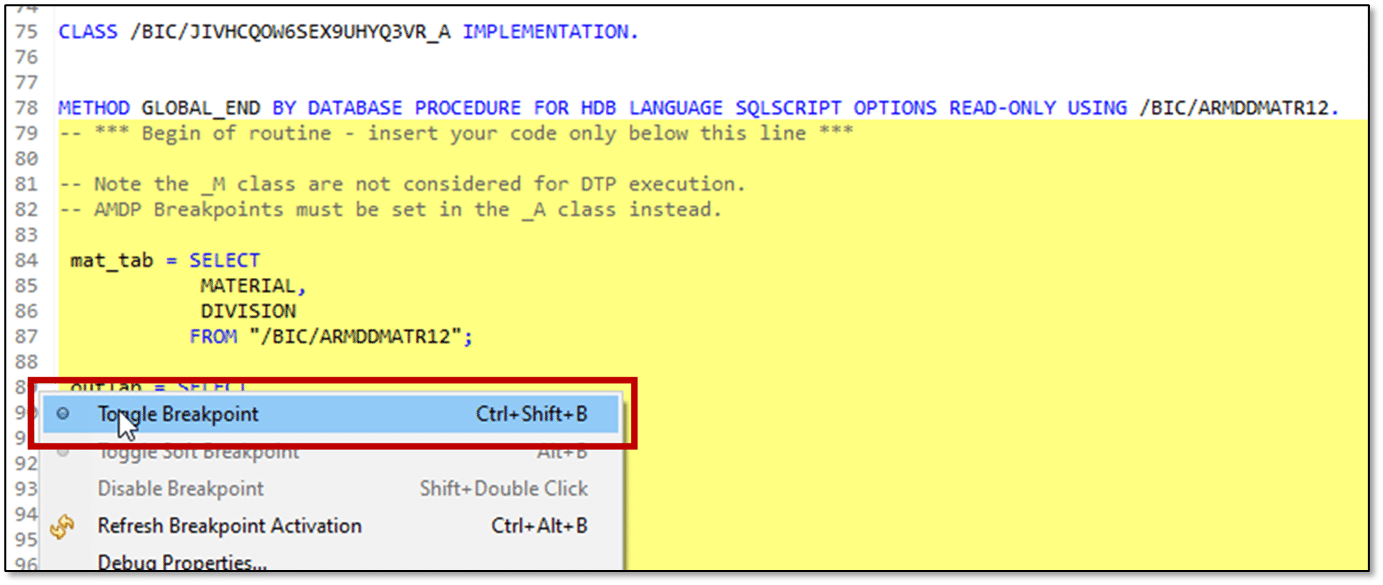
A breakpoint can now be set in the A version of the AMDP routine:
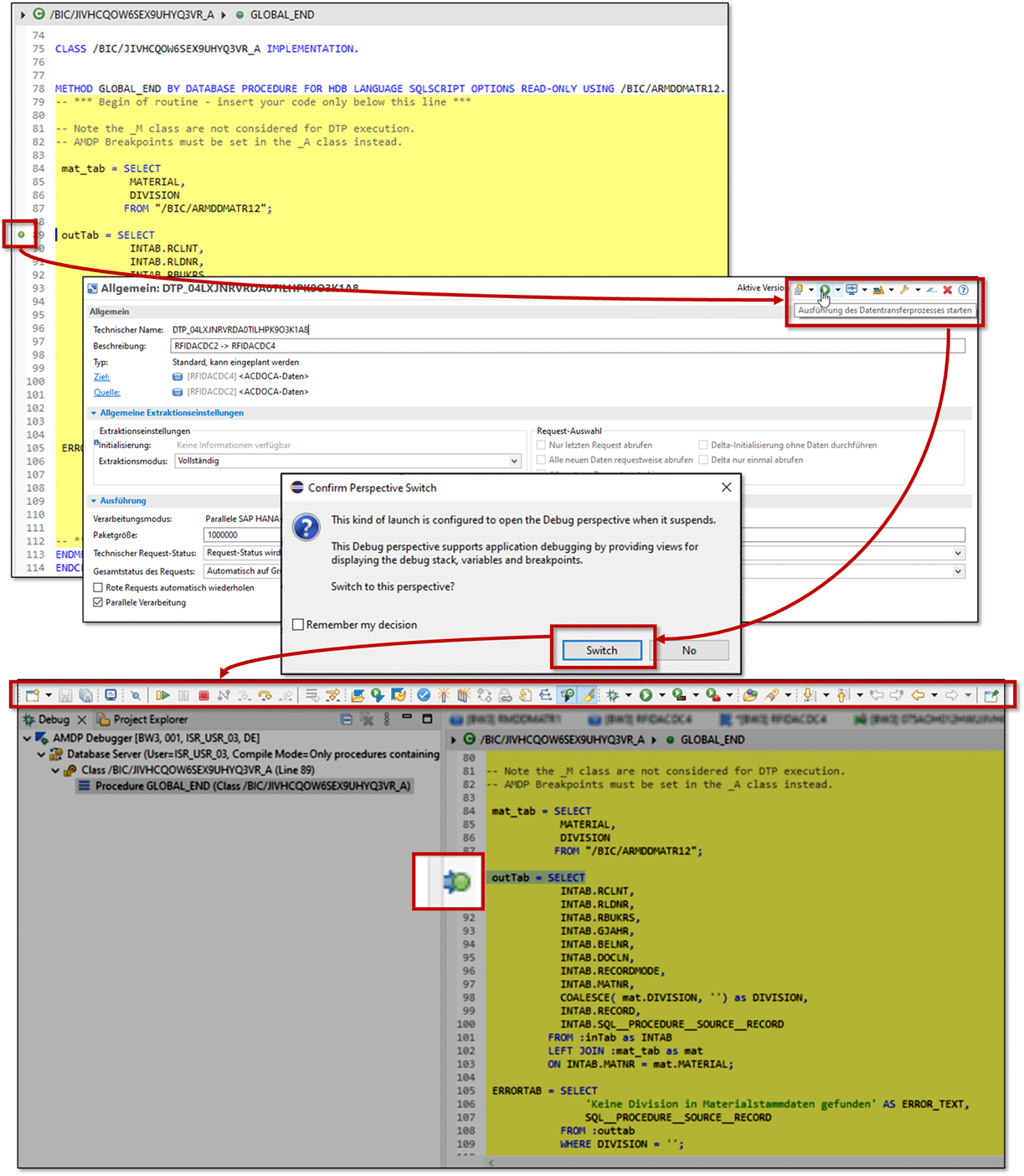
Once the breakpoint has been actively set in the A version of the routine, the corresponding "debugging perspective" can be opened automatically via the "normal" execution of the DTP:
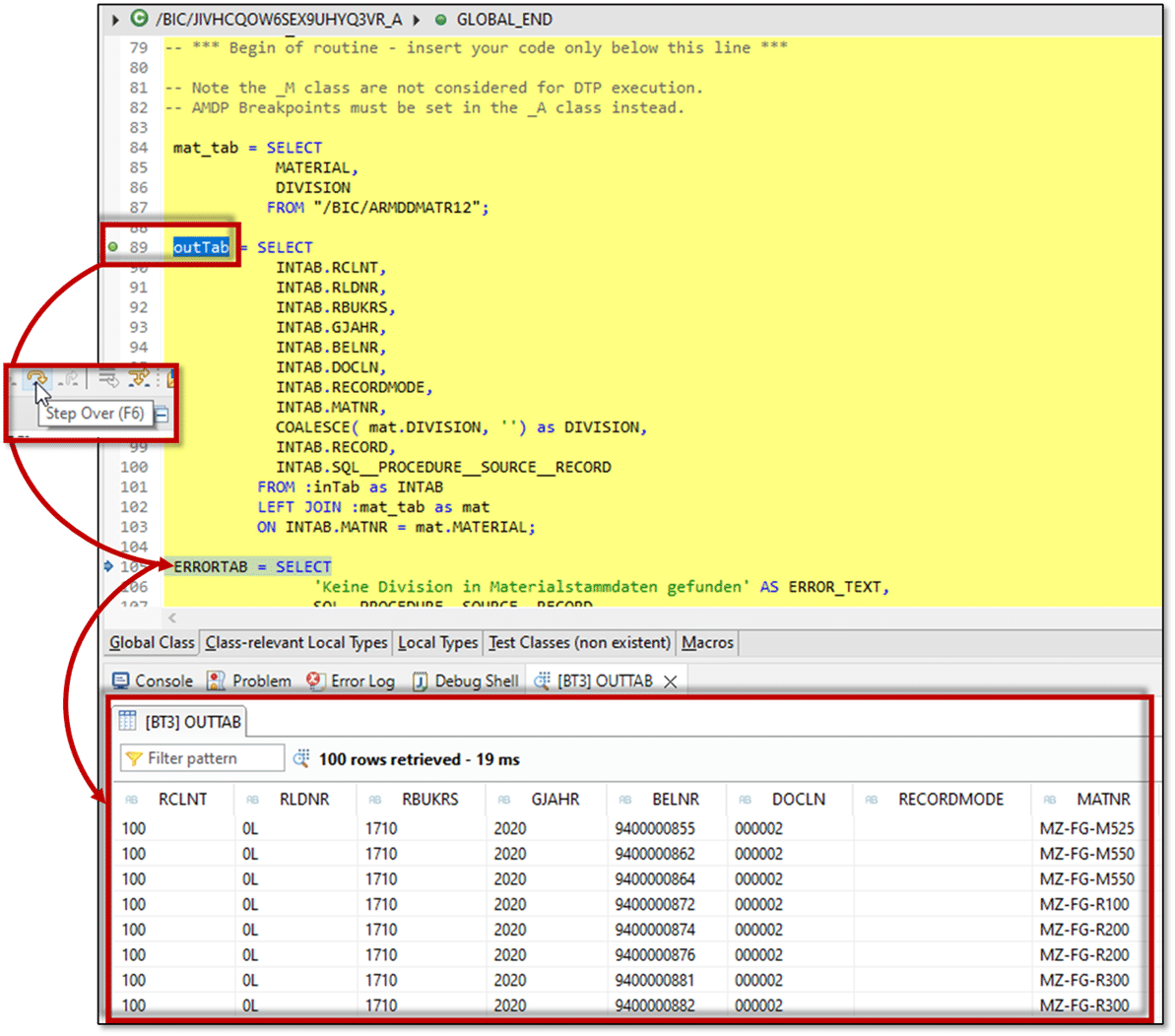
In this view, it is possible to "run" the corresponding code step by step, starting at the breakpoint. The toolbar of the debugging perspective offers various functions for analyzing the results of the individual steps:
The results of the tables contained can be displayed directly by selecting the corresponding table:
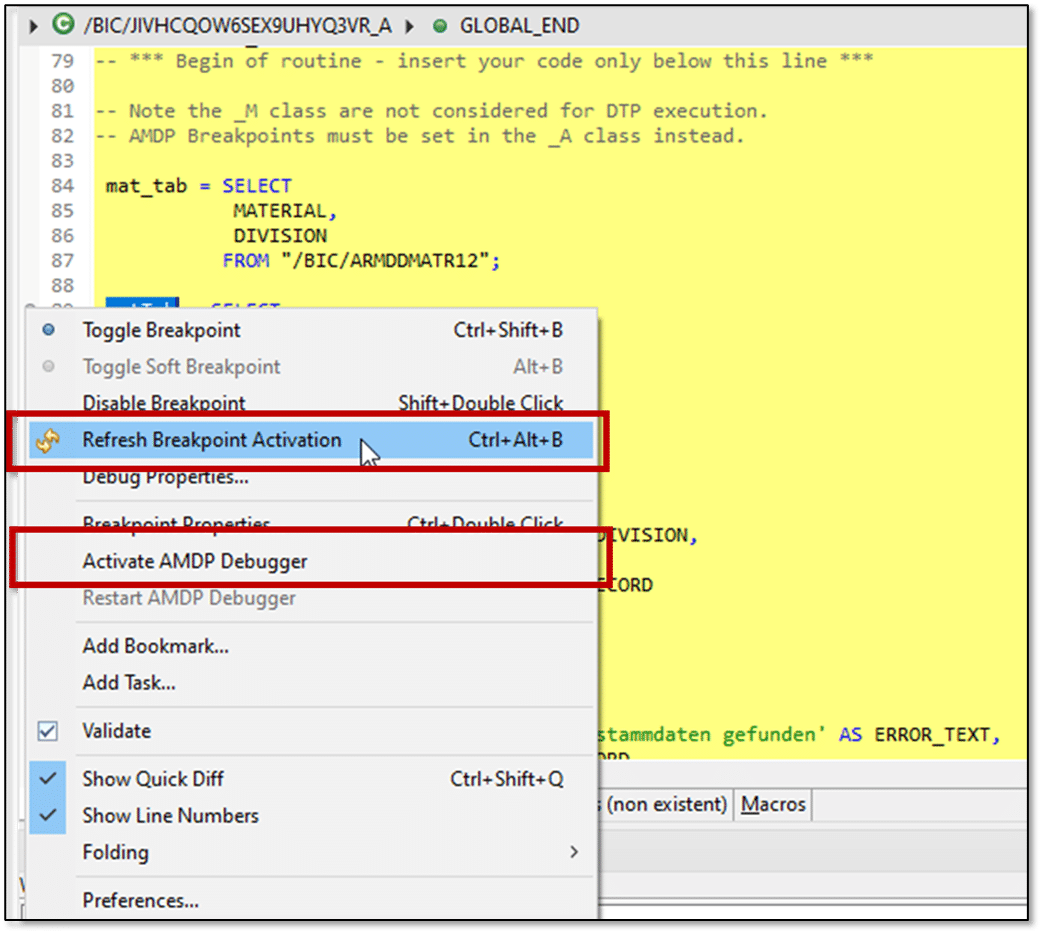
Breakpoints are generally only active for a "short" period of time and are then automatically deactivated. To reactivate a breakpoint, you can use the context menu of the right mouse button to reactivate the breakpoint or the AMDP debugger.
Conclusion
Both options allow developers to analyze and test AMDP routines in the various development phases, enabling them to detect errors or difficulties at an early stage.
Since 1993, we have been operating as IT consultants for Data Analytics and Document Logistics, focusing on data management and process automation. We provide comprehensive support, from strategic IT consulting to specific implementations and solutions, all the way to IT operations, within the framework of holistic Enterprise Information Management (EIM). ISR is part of the CENIT EIM Group.