SAP Datasphere offers a highly intuitive interface for developing data models. Nevertheless, in implementation projects with a substantial volume of data models, the interface rapidly encounters its limitations, as the development process demands considerable time.
Via the Command Line Interface (CLI) of SAP Datasphere, an alternative method exists for configuring spaces, including data models. Using our Automation Framework as an example, we demonstrate the opportunities presented by the CLI and automate portions of data modeling within SAP Datasphere.
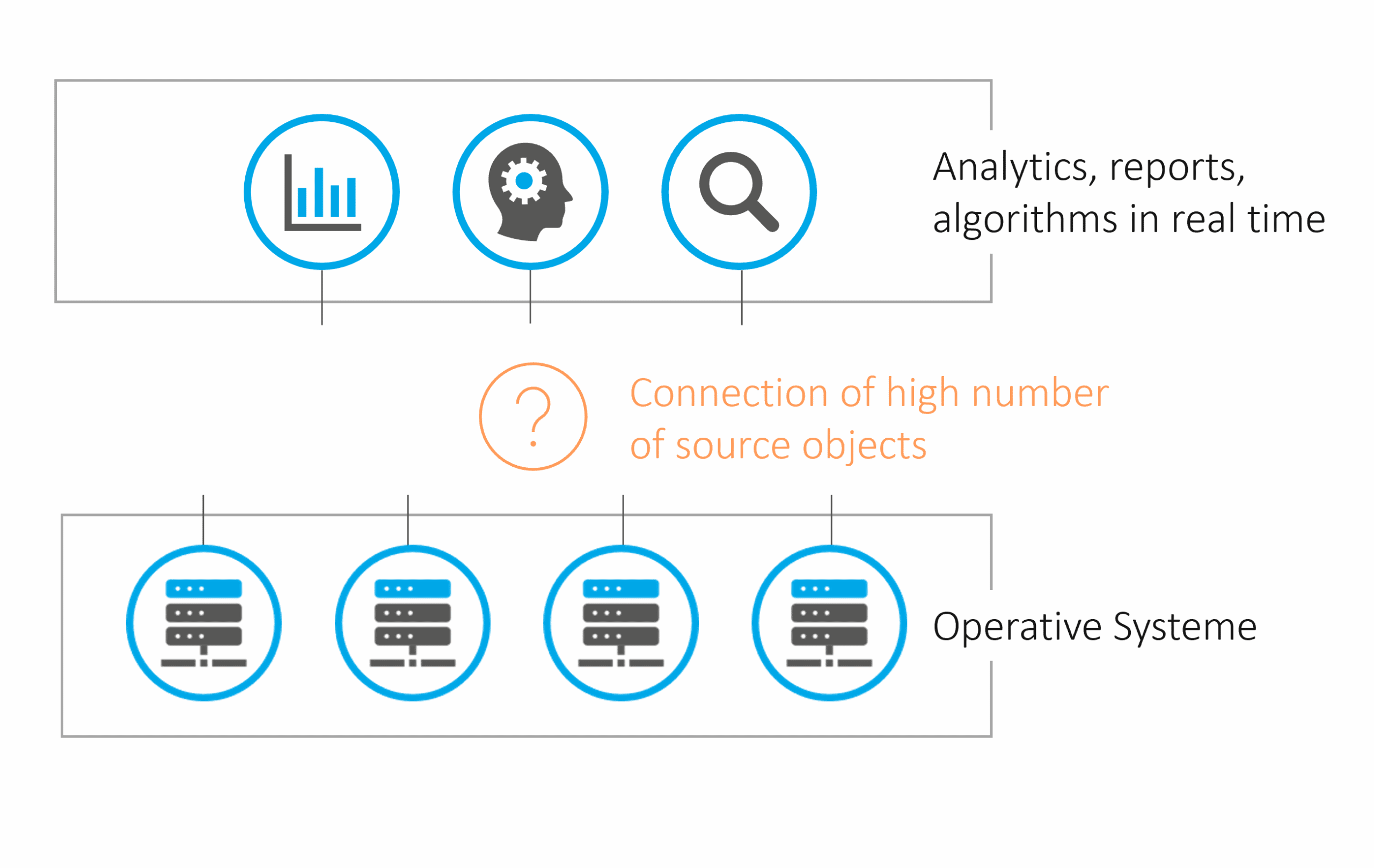
An SAP Data Warehouse is to be implemented. Initially, tables from the source systems are to be provisioned in central Ingest Spaces for each source system. While necessary Remote Tables and other objects can be developed manually, an increasing number of tables leads to a progressively high effort for manual, repetitive tasks. Additionally, there is a requirement for changes in the structures of the source tables to be adopted within Datasphere. This can be achieved through development processes and manual activities.
Fig. 1: Problem Statement | isr.de
However, the process of creating all necessary Spaces, including Remote Tables, would be very time-consuming, depending on their number. Business departments would face longer waits for results and would derive benefits from Datasphere at a later stage. This raises the question of whether a more efficient approach exists for performing recurring tasks than manual execution.
Digression: Command Line Interface (CLI)
The interfaces of SAP Datasphere are easy and intuitive to use, which is highly beneficial for smaller work packages and, particularly, for business users. However, it would be optimal if Datasphere also provided an alternative programmatic approach for conducting developments.
This is where the Command Line Interface (CLI) comes into play. The CLI is a standalone Node.js module available on npmjs.com, enabling access to Datasphere Tenants via the command line. This accelerates 'mass operations' or recurring tasks that would otherwise demand significant manual effort. Examples include:
Reading Space Definitions (tables, members, etc.)
Creation of Spaces, Tables, Views, etc.
Assignment of users to Spaces
Jascha Kanngiesser has also described the possibilities in detail here. JSON is utilized as the format, meaning the definitions are available in this structure. Below, we present a few examples of use cases:
Integration with Git
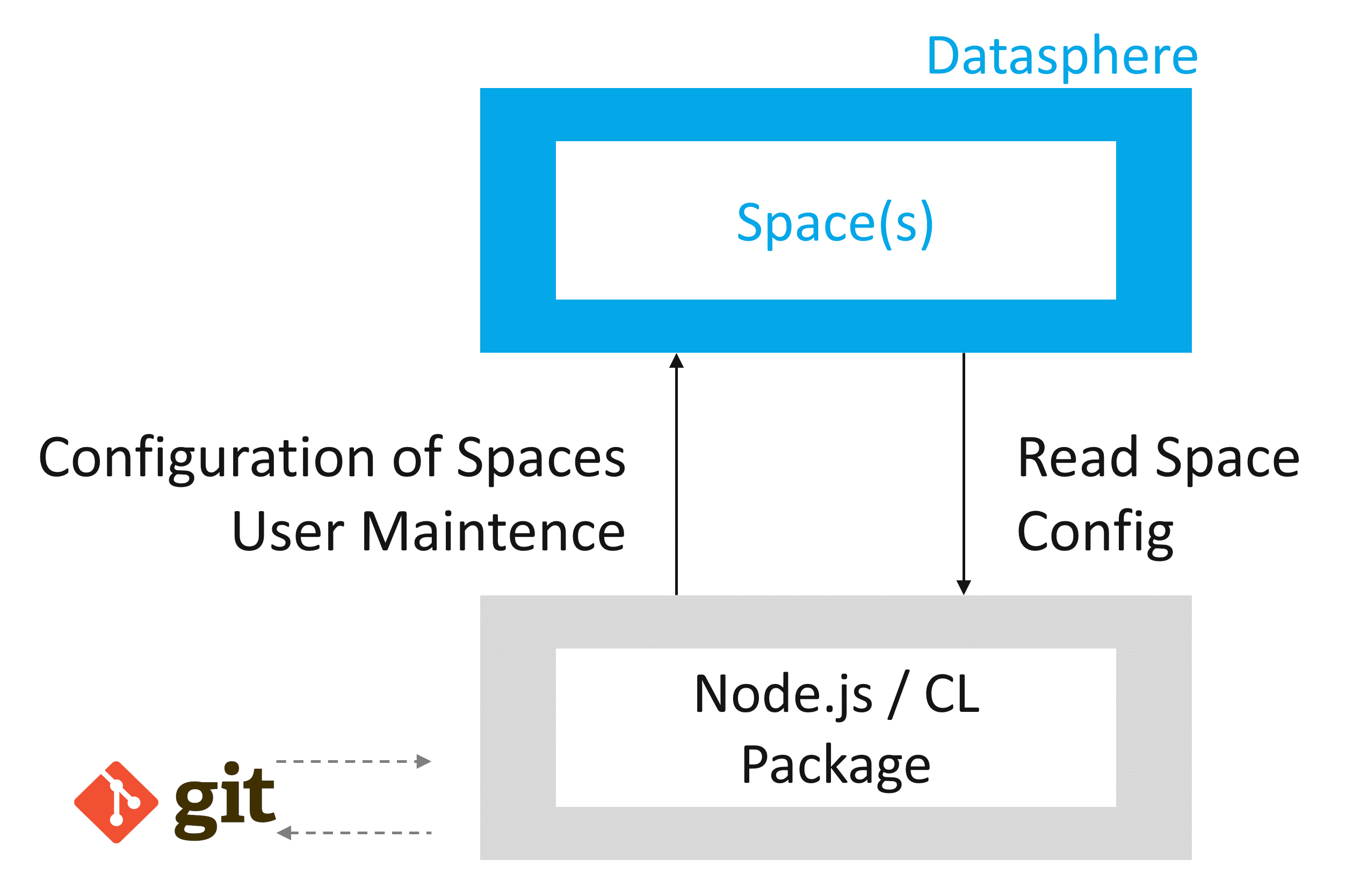
Currently, SAP Datasphere lacks version control for development objects, unlike what developers are accustomed to in software development, for example, when using Git. The CLI allows for the export of Space definitions into a JSON file. Storing these JSON files in Git establishes a proven version control system. While automation of versioning (JSON export and Git import) is conceivable through third-party solutions (e.g., ISR Automation Framework), it is not available out-of-the-box. Conversely, a direct Git integration within the Datasphere interface is not currently foreseeable.
Fig. 2: Command Line Interface (CLI) | isr.de
Developer Spaces / One Tenant Strategy
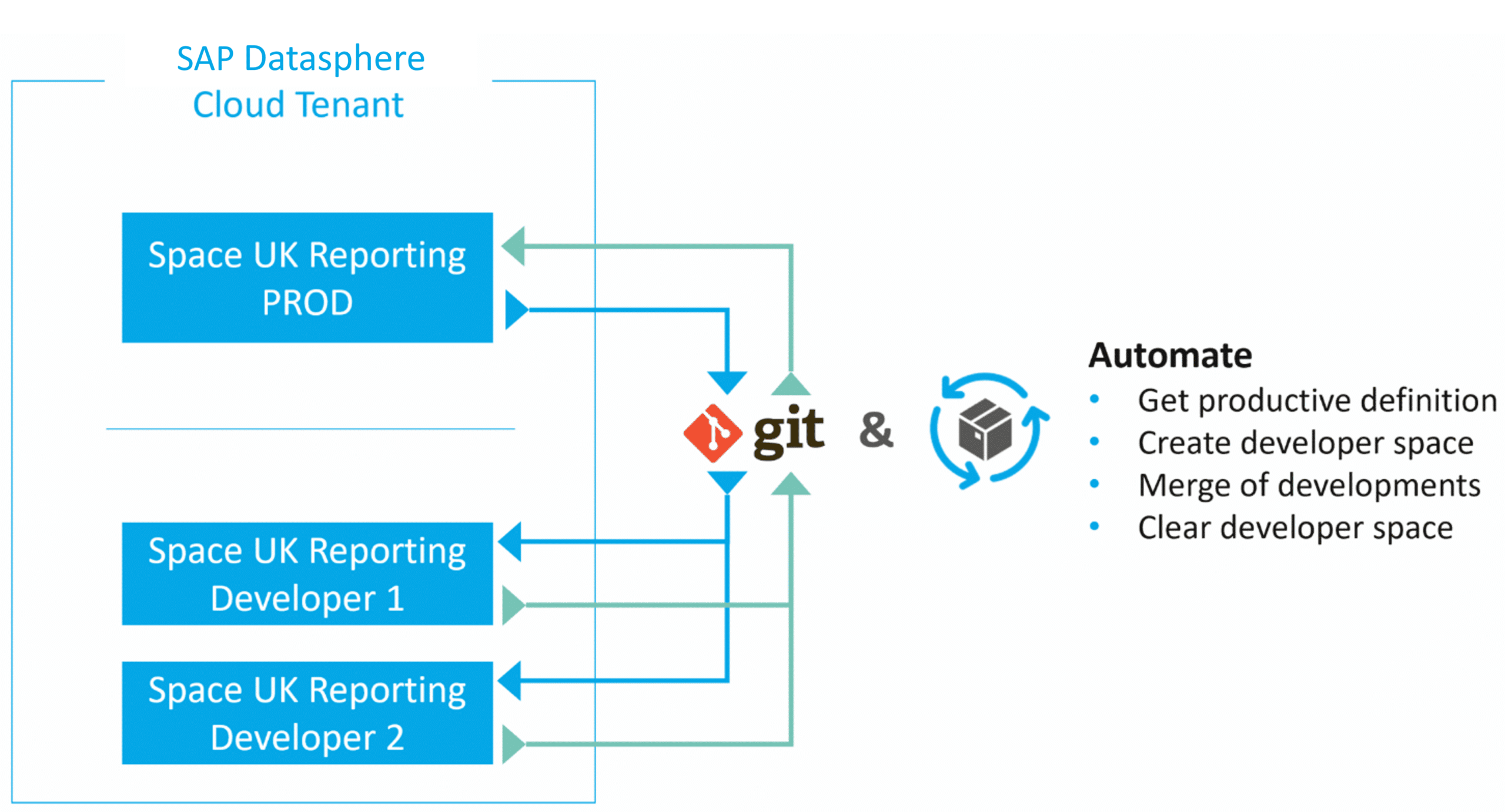
The following scenario assumes a functional Git integration. Currently, Datasphere does not implement object locking when a developer edits a view, for example. This means a second developer can simultaneously modify the same view, which introduces certain limitations and necessitates clear development processes.
The following scenario would be interesting:
Fig. 3: Developer Sandbox | isr.de
Entwickler ziehen sich die Definition des produktiven Space (JSON) aus Git und es wird unter einem anderen Namen (z.B. DEV1_<SPACE_NAME>) ein Space erzeugt zur Entwicklung. Die Entwicklung wird durchgeführt und abgenommen. Anschließend wird ein Merge in Git durchgeführt mit möglichen anderen Entwicklungen eines Releases. Die abgestimmte Space Definition wird anschließend per CLI eingespielt in dem produktiven Space. Einige Schritte müssten hierbei automatisiert werden, um effizient zu arbeiten (z.B. Namensänderung Entwickler-Space, Erzeugung Entwickler-Space, etc.).
One can pursue either a 'One Tenant' strategy or work with multiple tenants. We find this scenario particularly compelling as it enables large development teams to collaborate in parallel without resulting in disorganization.
Unfortunately, this scenario is currently hindered by the inability to merge JSON files. Therefore, the described approach merely illustrates the solution's potential. It remains to be seen whether merging will be possible in the future, which would enable effective coordination of larger development teams.
Alternative Transport Mechanism
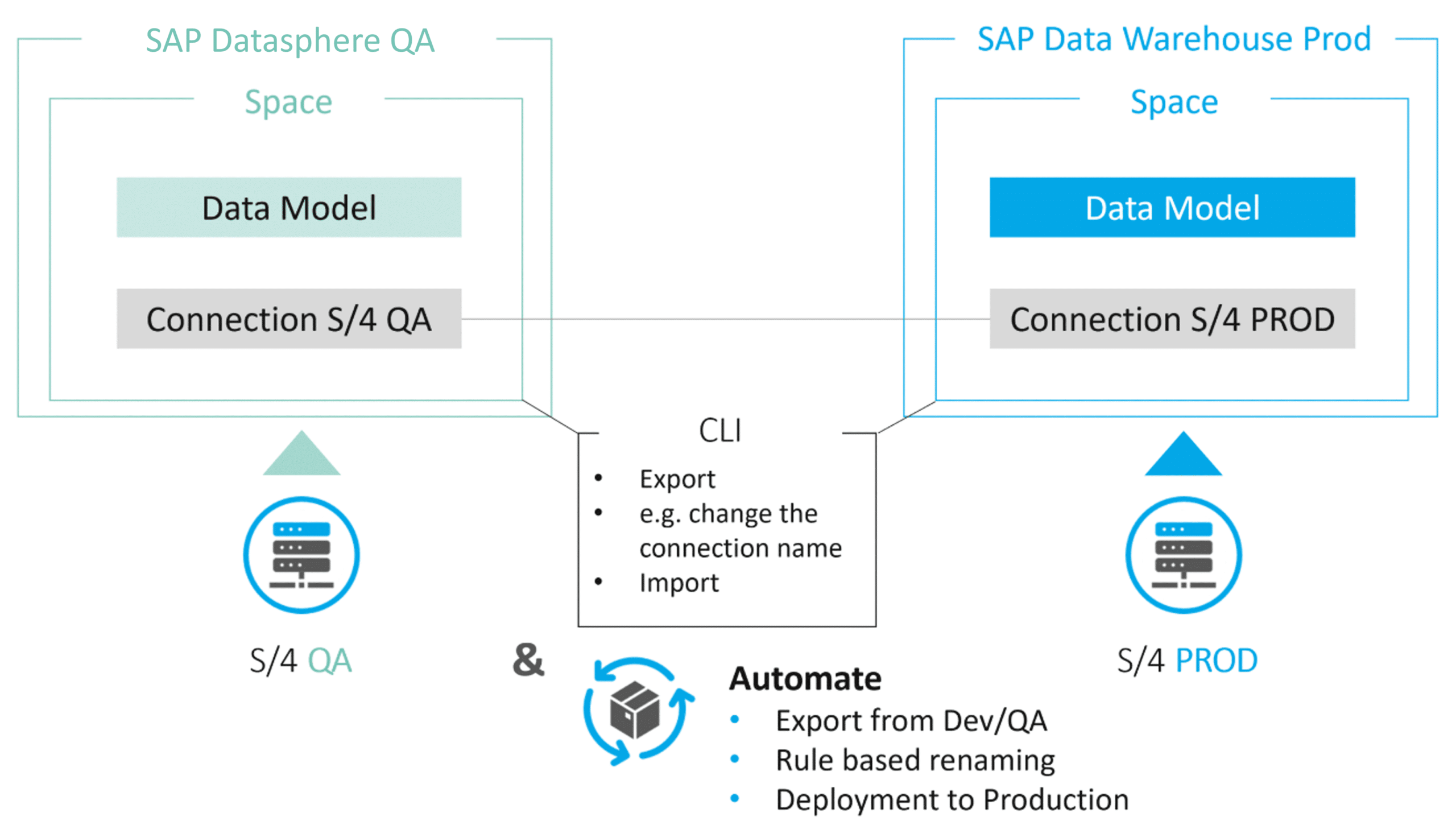
The transport system in SAP Datasphere is very user-friendly. However, it is crucial to note that technical names on the source and target tenants must be identical, meaning Connections and Spaces must retain the same names as in the production environment. Renaming or mapping functionality is not available. A common requirement is to use system abbreviations as names for Connections and Ingest Spaces. This could potentially lead to confusion if Connection and Space names on the Dev/QA tenant contain production system abbreviations.
The CLI enables 'renaming' functionality. On the Dev/QA tenant, the definition is exported via the CLI. The objects within the JSON file(s) must then be renamed accordingly and subsequently imported into the production Datasphere using the CLI. While this is a straightforward example, it illustrates the significant flexibility the CLI provides for more complex scenarios.
Generally, automation should be implemented for this process to minimize manual effort and prevent errors. Concurrently, it is conceivable to integrate the deployment into a CI/CD pipeline to automate such adjustments and the deployment process itself.
Fig. 4: Transport System | isr.de
Automation of Modeling and Quality Checks
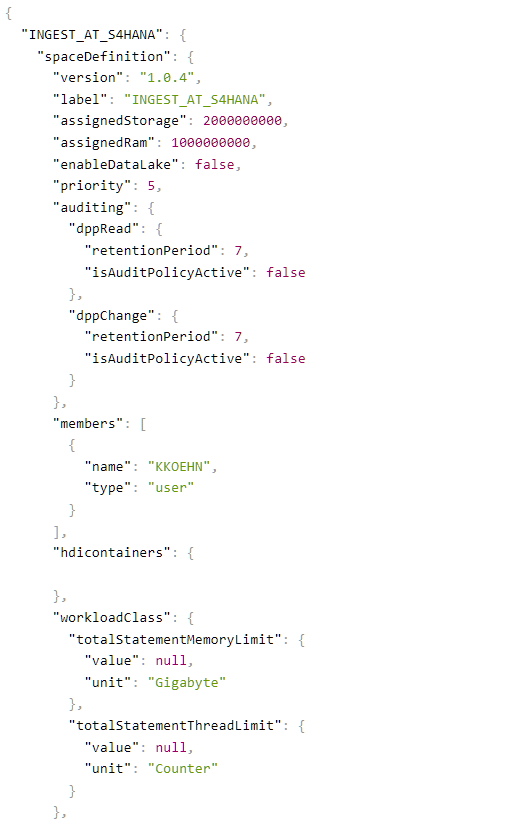
Let's revisit the challenge of creating a large number of objects in Datasphere. Unsurprisingly, we identify this as an excellent use case for the CLI. All that is required are the appropriate JSON files for importing into Datasphere. An excerpt of such a JSON file is provided below.
Fig. 5: Screenshot | isr.de
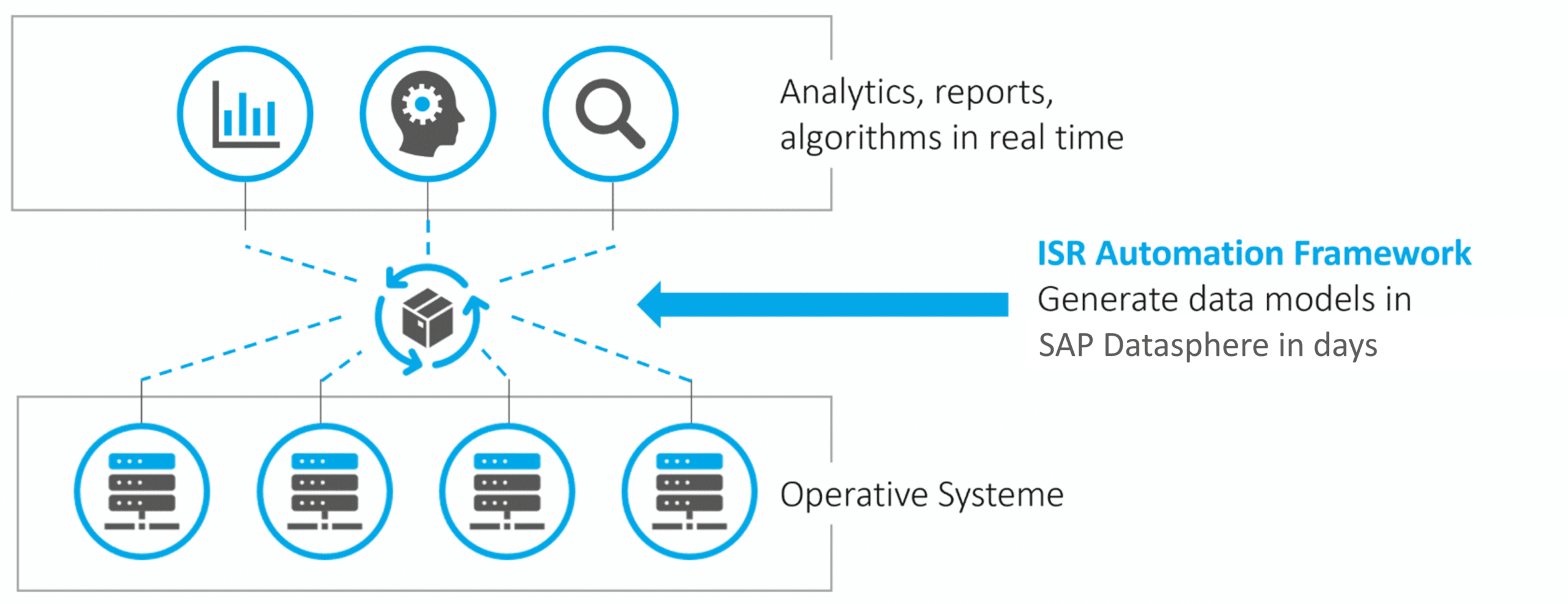
Manual creation of JSON files, including table names and other metadata, does not offer initial acceleration. This is particularly true when further views are to be created based on remote tables, requiring all columns to be defined. This approach only becomes viable when the generation of JSON files and, ideally, their deployment into Datasphere are automated. The automation of this process can be achieved through the ISR Automation Framework.
Fig. 6: ISR Automation Framework | isr.de
The Automation Framework is a Node.js application that runs either locally or within a virtual environment. The creation of data models in SAP Datasphere can be accomplished in minutes using this framework and the CLI. Beyond initial setup, an automatic and regular synchronization of source and target structures can also be implemented.
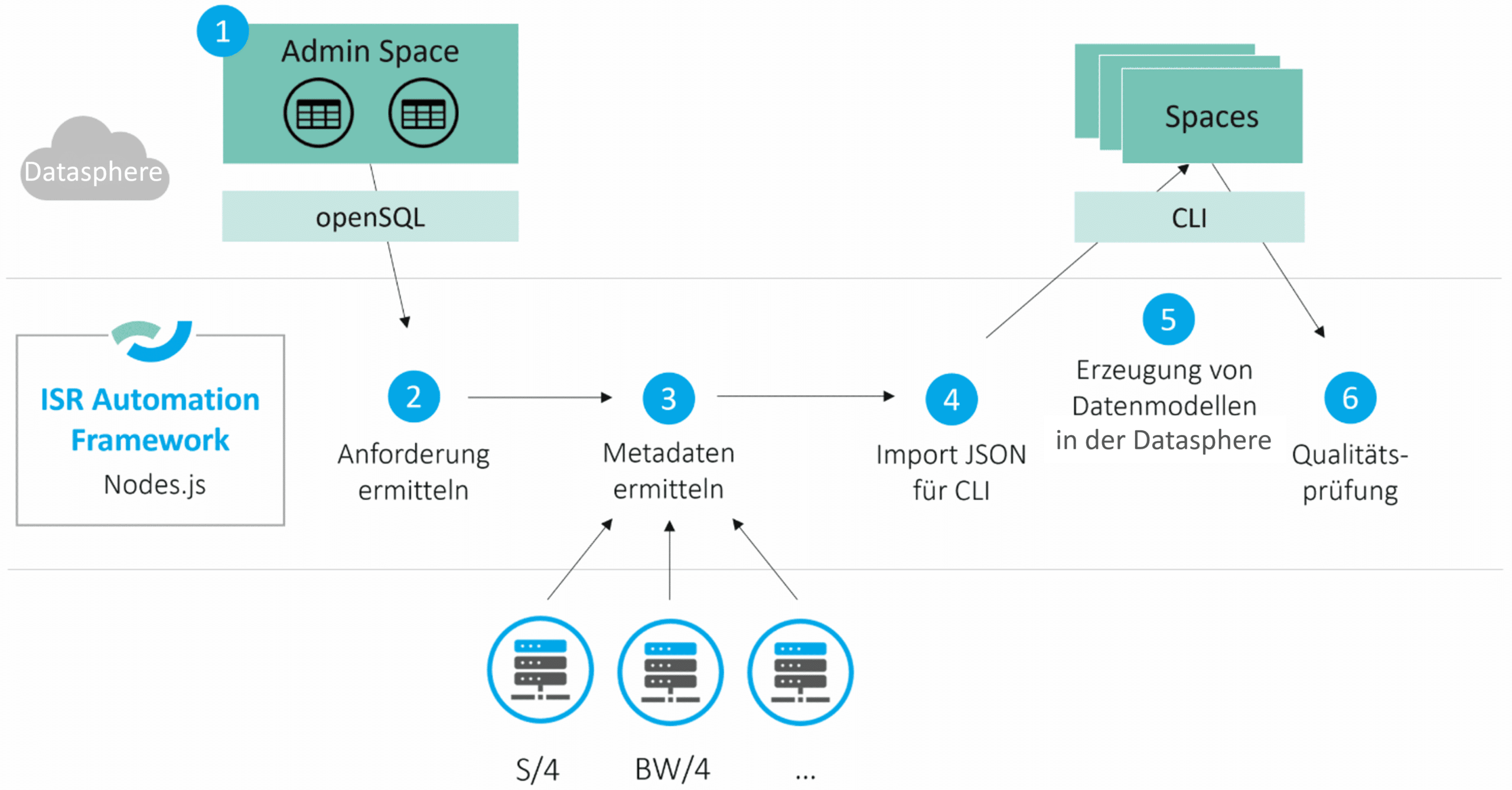
The following section outlines how the framework collaborates with SAP Datasphere to generate data models within SAP Datasphere:
Fig. 7: Detailed Workflow | isr.de
1) Admin Space
From a business perspective, an Excel file is used to define which source tables are required from which system. This file is then stored as control table(s) within a dedicated space. These control tables specify which remote tables or views are to be created in which spaces within SAP Datasphere.
2) Identify Requirements
The control tables define the requirements for the Automation Framework. By accessing the Admin Space via openSQL, the system queries which objects are to be generated in SAP Datasphere.
3) Identify Metadata
The framework is also connected to the source systems, enabling the retrieval of source table metadata. This functionality, for instance, validates the existence of a table and identifies its constituent columns.
4) Generate JSON file for the Command Line Interface
Leveraging the preceding steps, the required JSON files can be automatically generated. This is achieved by executing a script that understands the necessary Datasphere JSON file syntax and generates the JSON output.
5) Create Data Models in SAP Datasphere
Finally, the JSON file is imported into SAP Datasphere via the Command Line Interface, leading to the creation of all specified objects. Furthermore, dependencies between spaces can be established, for instance, when views in a Consumption Space need to reference remote tables located in Ingest Spaces.
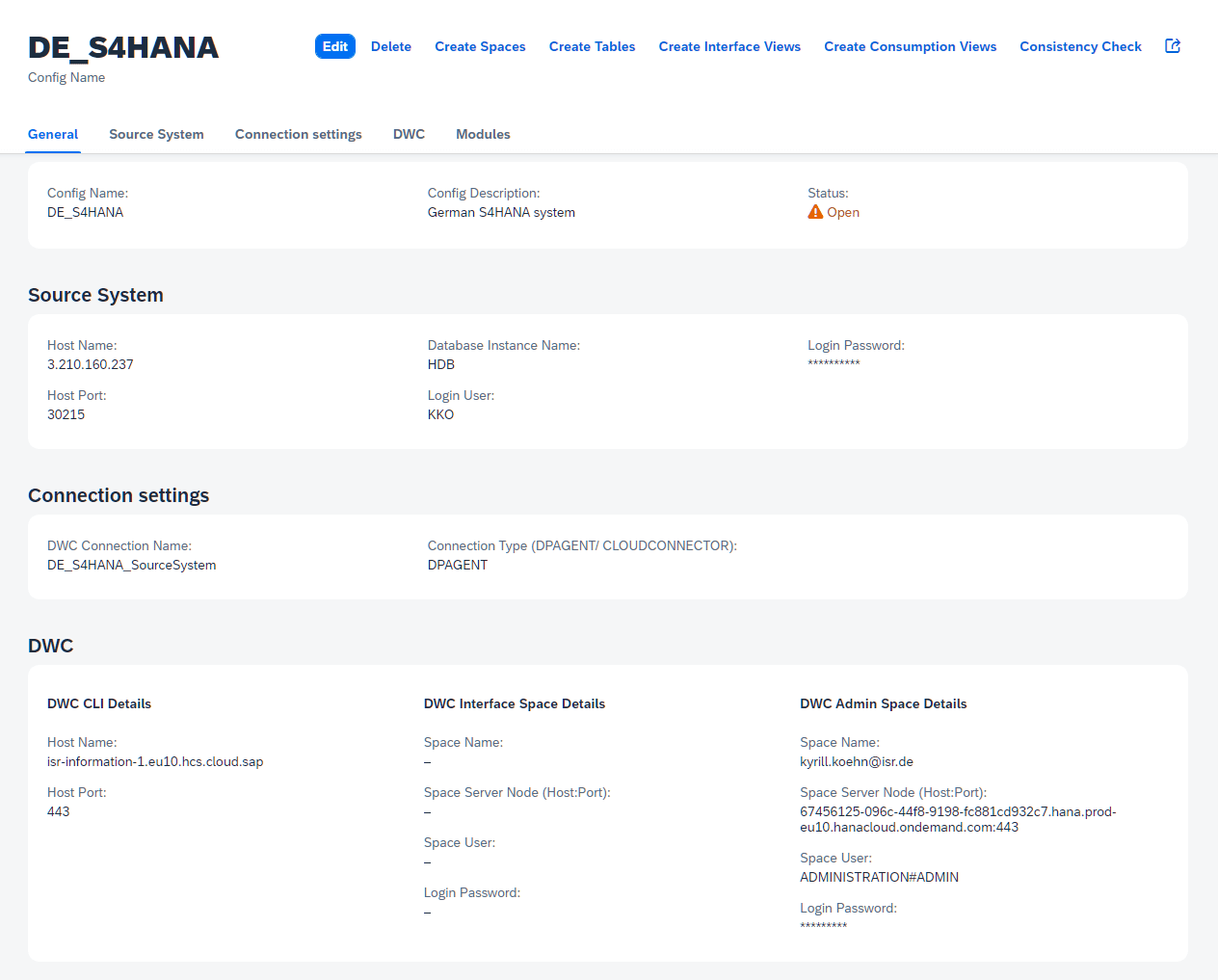
Below is a screenshot from the interface where the necessary information is stored.
Fig. 8: Screenshot | isr.de
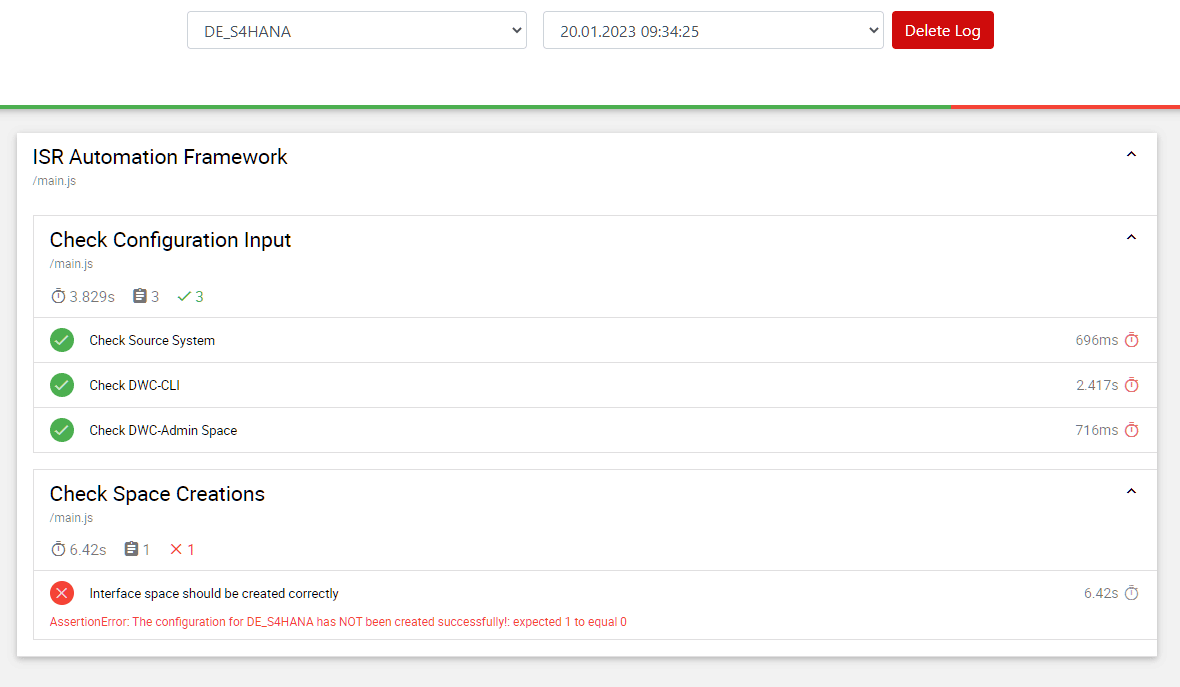
Automated processes, regardless, require monitoring. The CLI allows for querying the Space Definition post-import into Datasphere and comparing it against the expected outcome (see screenshot below). For replications, quality checks can be expanded to include comparisons between source and target tables, along with similar validation tests.
Fig. 9: Screenshot | isr.de
Has this sparked your interest? We invite you to read our reference report on a major Datasphere project where significant acceleration was achieved through the automation of modeling.
Operational Real-time Reporting with SAP Datasphere
SAP Datasphere is exceptionally well-suited as a self-service platform for business departments.
The Command Line Interface offers significant potential for complex scenarios and the automation of tasks. It is intriguing to observe the evolving functional breadth of the Command Line Interface. Many scenarios involving automation and the representation of complex situations can be addressed through this approach. The ISR Automation Framework exemplifies how leveraging the CLI can unlock substantial savings potential, particularly in areas such as:
Generation of Spaces
Generation of Data Models
Generation of Users
Synchronization of source systems with Datasphere's data models
Execution of Quality Checks
We hope that our contribution has provided a comprehensive overview of the capabilities of the Command Line Interface.
Since 1993, we have been operating as IT consultants for Data Analytics and Document Logistics, focusing on data management and process automation. We provide comprehensive support, from strategic IT consulting to specific implementations and solutions, all the way to IT operations, within the framework of holistic Enterprise Information Management (EIM). ISR is part of the CENIT EIM Group.